Documentation menu
- Agile Analytics documentation
- Getting started
- Connect
- Connect GitHub
- Connect GitLab
- Connect Bitbucket Cloud
- Repositories and groups
- Connect Jira
- Sprint schedule
- Connect Slack
- Connect Google Cloud Monitoring
- Connect AWS CloudWatch
- Connect AI vendors
- SAML single sign-on
- API keys
- AI assistants (MCP)
- Connect Cloudflare
- Connect your AI platform
- Import from Backstage
- Connect SonarQube Cloud
- Connect Snyk
- Pages
- Slack app
- E-mail and signals
- Settings reference
- Metrics reference
Import from Backstage
If you run Backstage, your catalog already holds what Agile Analytics otherwise asks you to enter by hand: your services, the repositories they are built from, the teams that own them and who is in those teams. Import your catalog-info.yaml files and Agile Analytics sets them up for you. Backstage has no SLO kind, so service level objectives come from OpenSLO documents, which teams usually keep next to their catalog file.
Importing
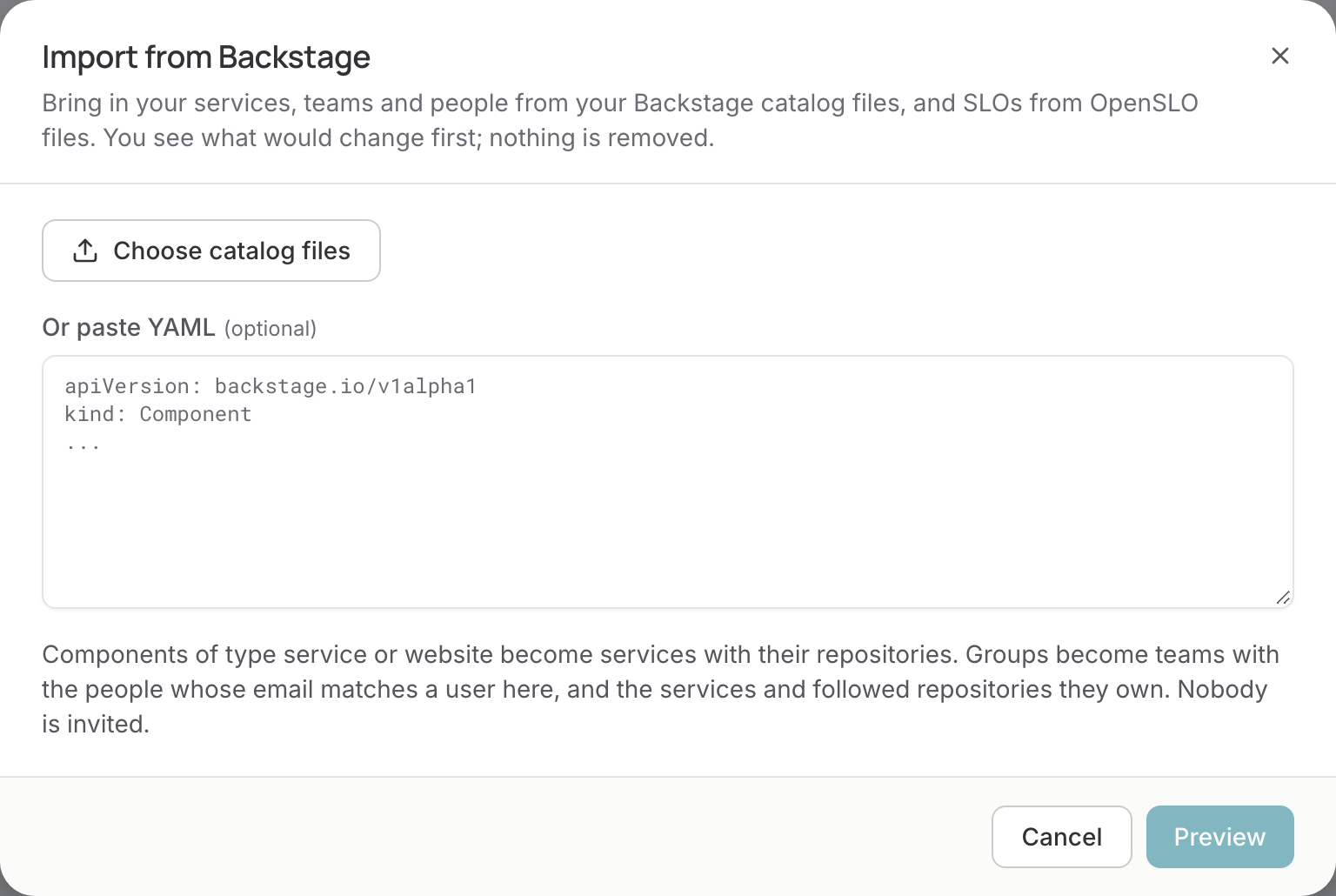
- Go to Teams and press Create new team. The panel offers the import instead: Import from Backstage. You need the admin role.
- Choose your catalog files, or paste the YAML. Up to twenty files, two megabytes each; a file may hold several documents.
- If the files contain OpenSLO documents, pick the Google Cloud Monitoring backend to measure them on. Without such a backend the SLOs are skipped and the rest still imports; Connect Google Cloud Monitoring first if you want them.
- Press Preview. You see exactly what would be created or changed, what would be skipped and why, and which people have no user here. Nothing has been written yet.
- Press Import.

What becomes what
| In Backstage | In Agile Analytics |
|---|---|
Component of type service or website, or any type carrying the agileanalytics.cloud/service annotation | A service. Its name is the annotation if there is one, otherwise metadata.name |
The annotations agileanalytics.cloud/repository, github.com/project-slug or gitlab.com/project-slug | The repositories that deploy the service, which is what change failure rate and time to restore are counted over |
| Group | A team, matched on name and created when it is new |
User with spec.memberOf, or a group's spec.members | Members of that team, matched on spec.profile.email to the users of your organisation |
A component's spec.owner | The owning team gets that component's service and the repositories you follow |
OpenSLO SLO with a ratio metric on a Prometheus source | A PromQL SLO on the Google Cloud Monitoring backend you chose, with its error budget |
Groups that sit above teams — of type organization, business-unit, department or product-area — are not imported as teams: their members are not one team.
What the import will not do
- Nobody is created or invited. A person in your catalog without a user in Agile Analytics is named in the report and left out; Invite your team and import again.
- Nothing is removed. Existing teams keep their members, services and repositories, and existing services keep their SLOs. An import adds and updates, so running it again after a change in the catalog is safe.
- Repositories are not followed for you. A repository named in the catalog that Agile Analytics does not follow is reported; select it first if you want its data (see Repositories and groups).
Repeating it
The import is a one-off action, not a live sync: run it again whenever your catalog has changed enough to be worth it. Because nothing is removed, a second import only brings the additions.