Documentation menu
Overview
The Overview is the first page after you log in. It answers one question: how healthy is our engineering right now, and what should we do about it?
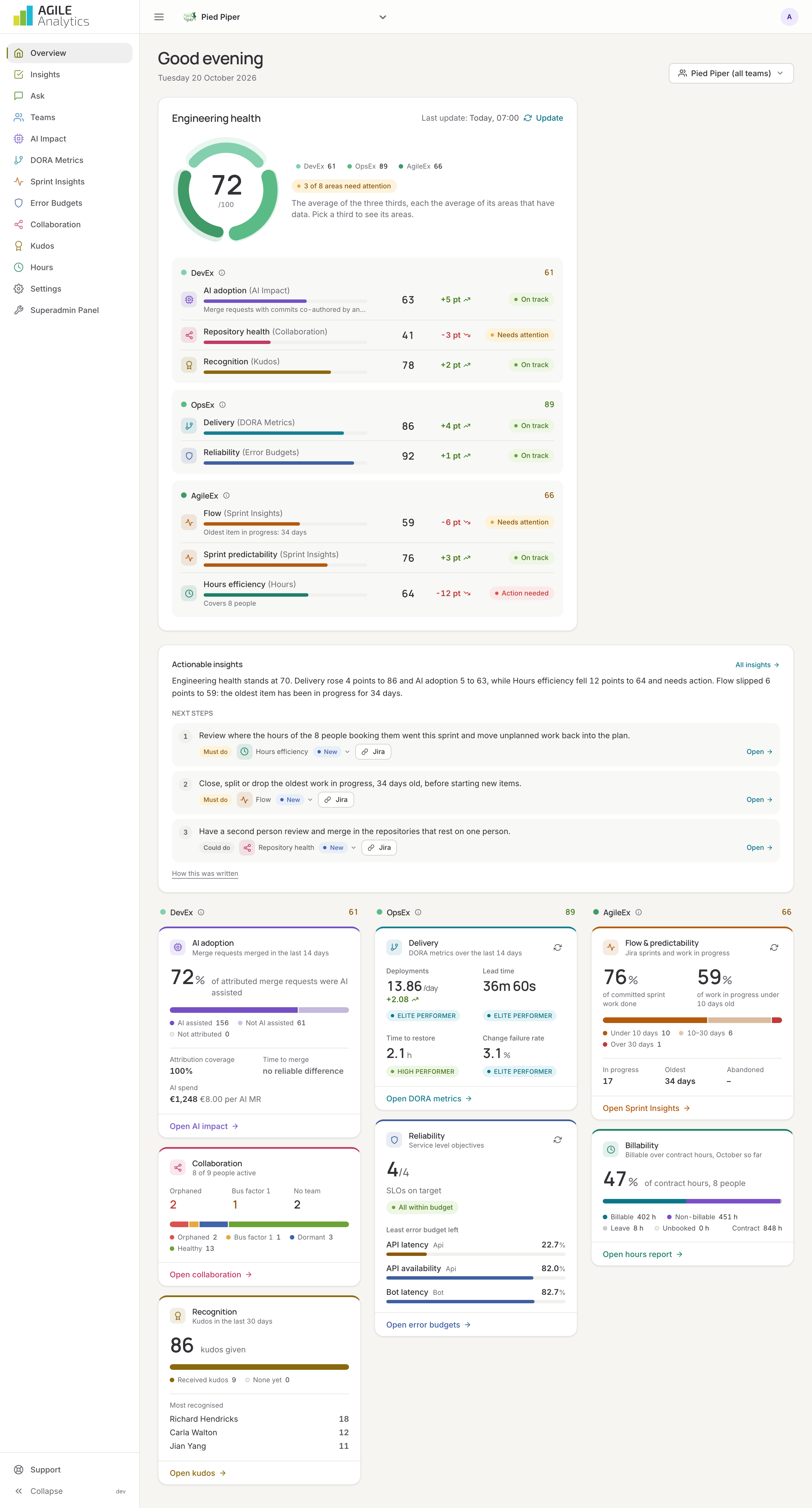
Engineering health
At the top sits the engineering health score, 0 to 100, drawn as a ring. The ring has three thirds, one per experience:
- Developer experience (DevEx): AI adoption, repository health and recognition.
- Operations experience (OpsEx): delivery (the DORA metrics) and reliability (error budgets).
- Agile experience (AgileEx): flow, sprint predictability and hours efficiency.
The total is the average of the three thirds. Each third is the average of its areas that have data. An area that is not set up yet, or measured nothing in the period, is left out instead of counting as zero. Click a third in the ring, or a chip in the legend, to light up its areas in the list below. The full calculation is on Health score.
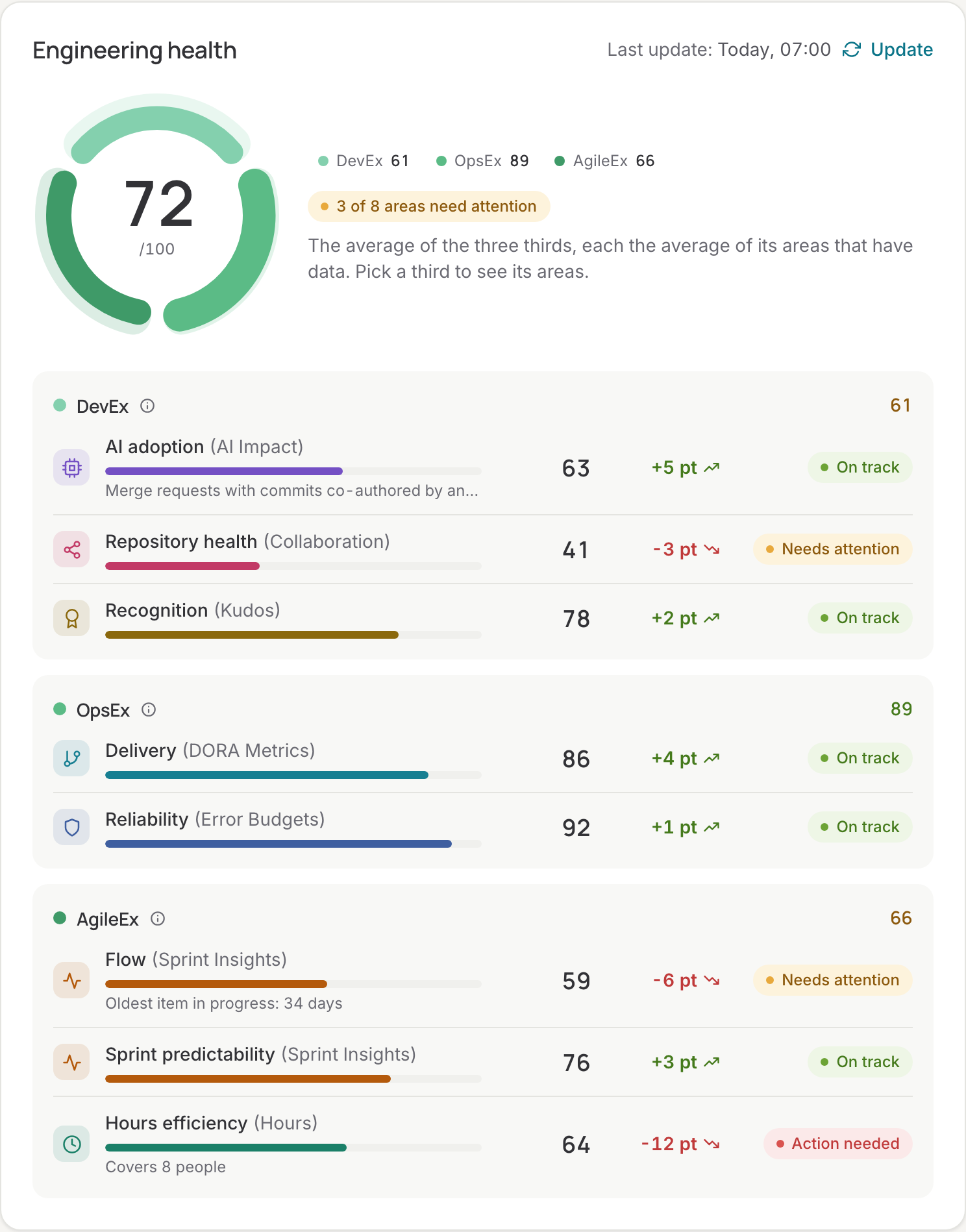
Every area has a status: On track, Needs attention, Action needed or No data. The eight areas and the page each one comes from:
| Area | Third | What it measures | Page |
|---|---|---|---|
| Delivery | OpsEx | The four DORA metrics over the last 90 days, rated against the DORA performance tiers | DORA metrics |
| Reliability | OpsEx | How many SLOs are within their error budget, and how far the others overspent | Error budgets |
| Flow | AgileEx | How old the work in progress in Jira is; items untouched for 180 days count as abandoned and are left out | Sprint insights |
| Sprint predictability | AgileEx | Of the items a sprint started with, the share that was done when it closed | Sprint insights |
| Hours efficiency | AgileEx | Booked hours against contract hours | Hours |
| AI adoption | DevEx | The share of merge requests with commits co-authored by an AI assistant, full marks at 50% | AI impact |
| Repository health | DevEx | The share of repositories that are healthy: not dormant and not resting on one person | Collaboration |
| Recognition | DevEx | The share of team members who received kudos in the last 30 days | Kudos |
The report behind the score is made every night. Press Update to make a fresh one now; the date of the report is shown next to the score.
Organisation or team
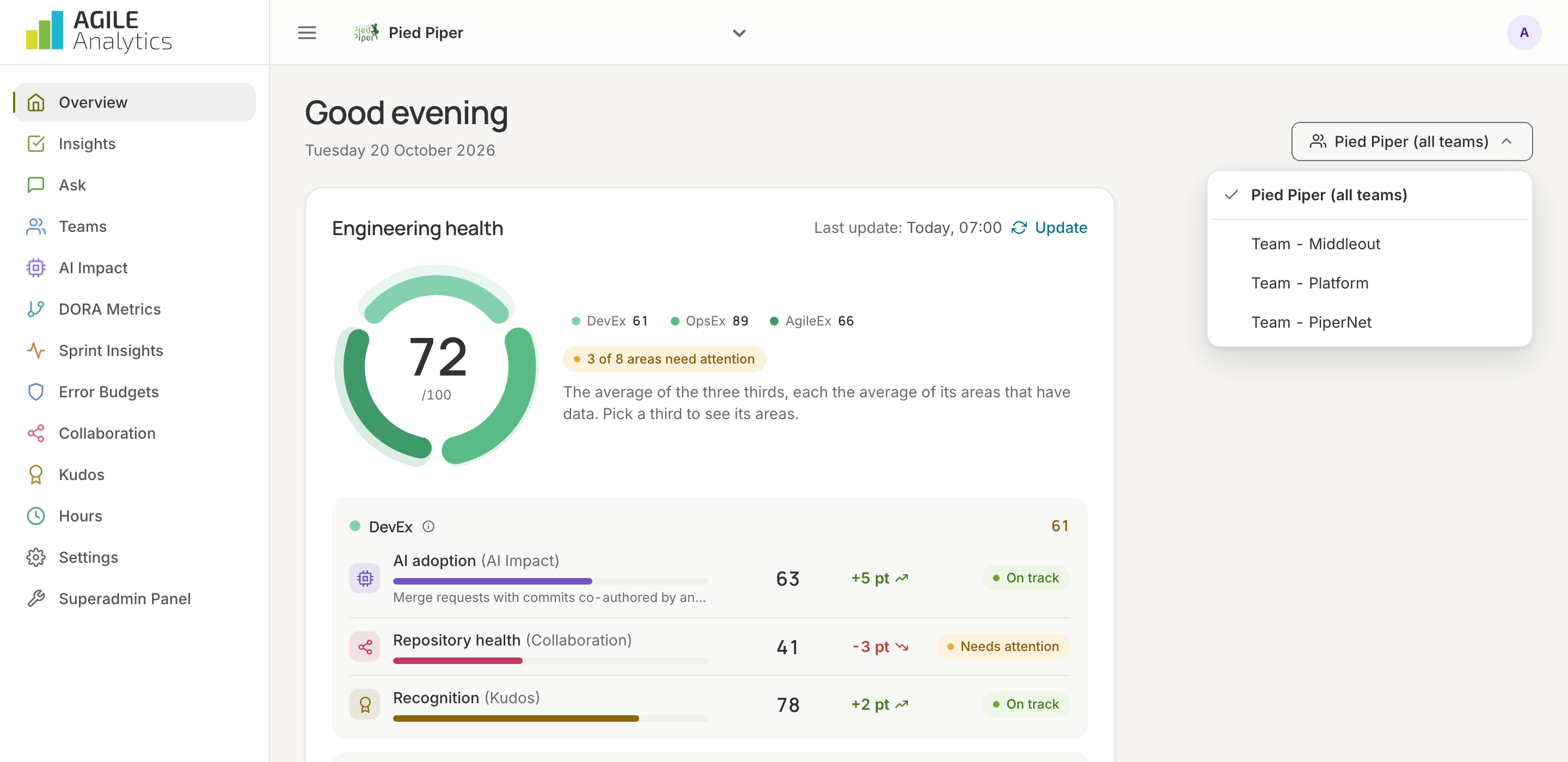
The menu above the score lets you pick the whole organisation (all teams) or one team. With a team picked, the ring shows that team's score, built from its members, repositories, services and Jira boards. The tiles below the score always cover the whole organisation. Open the team page from the same menu for its own details; see Teams.
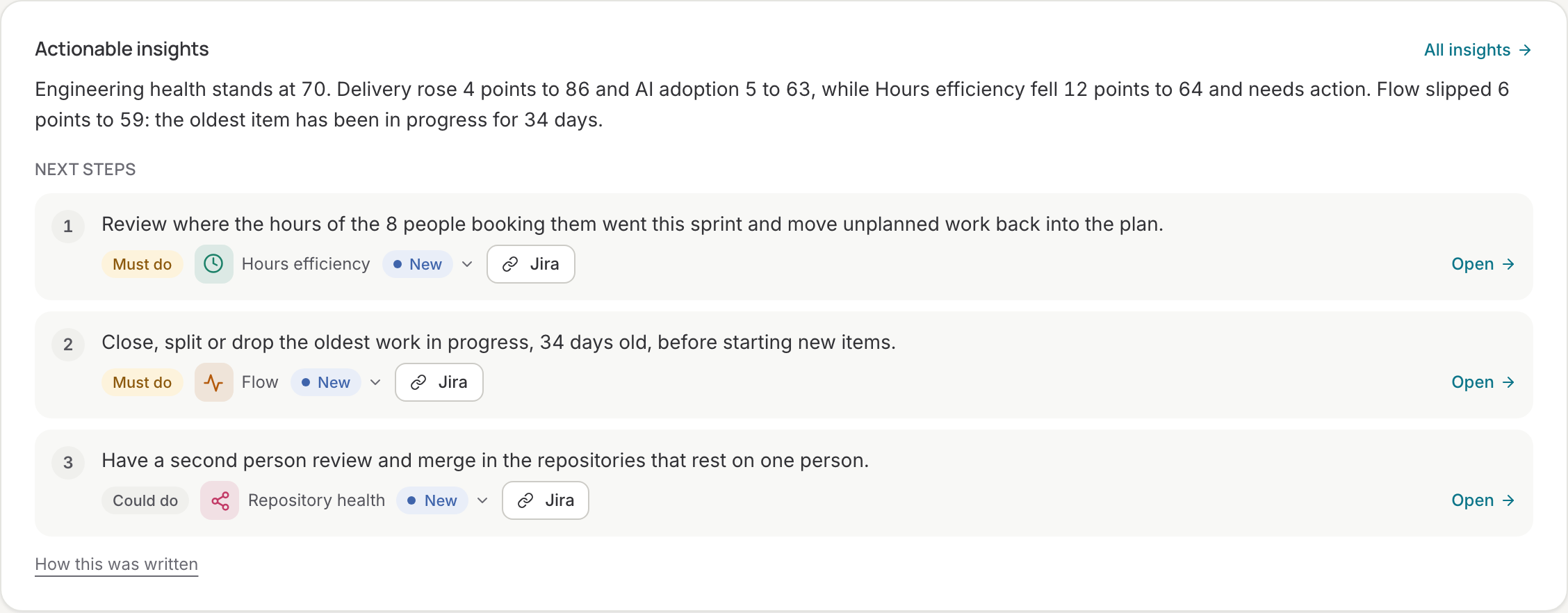
Actionable insights
Under the score, a card sums up the report in a few sentences and lists one to three next steps, each marked Must do or Could do. The text is written by AI (Claude) when the report is made, from the report's numbers only: scores, how they moved, and counts such as SLOs over budget. It never sees code, tickets, messages or names. Every step is tracked: give it a status, close it, or follow it up in a Jira issue on the Insights page. Steps that are done or dismissed disappear from the card. The same card appears on every data page, with the steps for that page.
Tiles
Below the insights, one tile per area shows the headline numbers for the period picked at the top of the screen, and links to its page:
- Delivery: deployments, lead time, time to restore and change failure rate.
- Reliability: SLOs on target, how many are over budget, and the SLO with the least error budget left.
- Billability: billable hours over contract hours for the month so far. Mark projects as billable under Hours if the tile is empty.
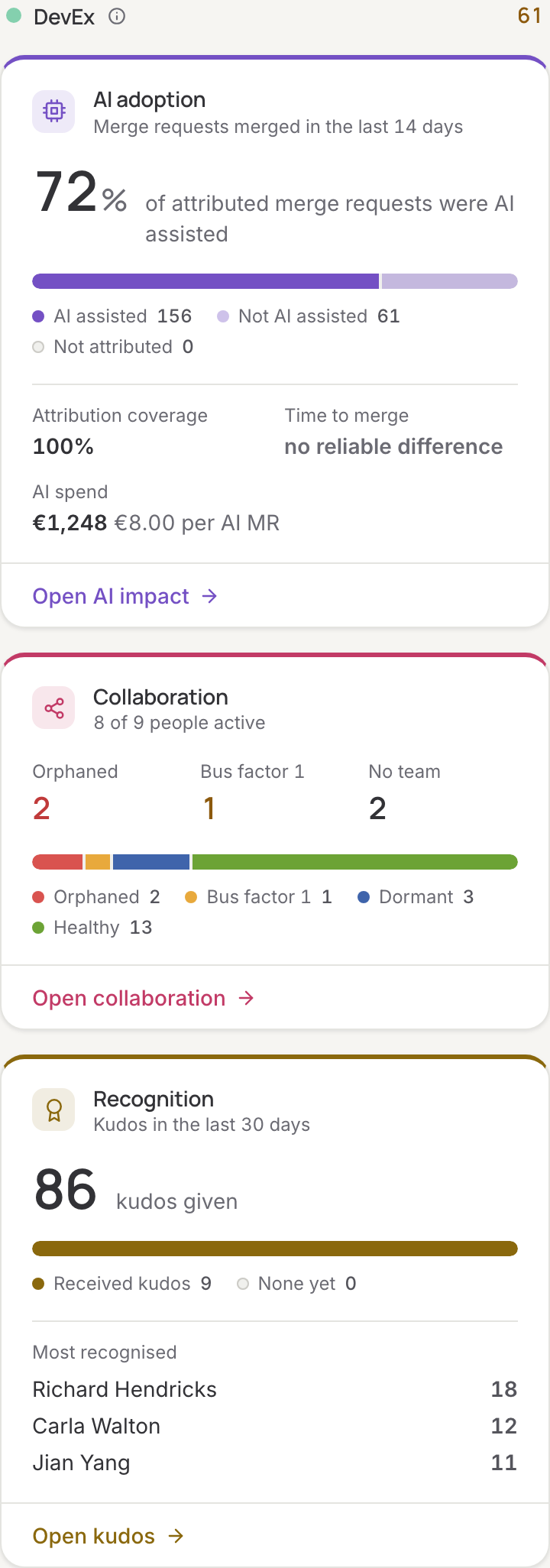
- AI adoption: merge requests split into AI assisted, not AI assisted and not attributed, plus AI spend and the spend per AI merge request when vendors are connected.
- Collaboration: active people and repositories by status.
- Flow & predictability: committed sprint work done and the age of the work in progress.
- Recognition: kudos given, who received them and who was recognised most.
The tiles are grouped in three lanes, one per third, in the same order as the ring.
Recent signals
The last card lists what changed in the past two weeks, found every morning: an area that slipped or recovered, an SLO over its error budget, a repository that now rests on one person or has nobody active left, work that has been in progress for over 30 days, and a DORA metric that moved between performance tiers. The same signals can be posted to Slack; see E-mail and signals.
Setting up
A new organisation sees a checklist instead of a score until the first sources are connected: a Git provider, a ticket feed (Jira) and a monitoring backend. Each item links to the right settings tab. The score appears after the first nightly report, or after you press Update.