Documentation menu
Connect Cloudflare
Cloudflare is a data source for error budgets. Cloudflare has no SLOs of its own, so you set the target in Agile Analytics. Agile Analytics then reads the traffic Cloudflare counts every 30 minutes: the requests of a zone, or the page loads of a Web Analytics site.
1. Create an API token
-
In the Cloudflare dashboard, open My Profile → API Tokens → Create Token and choose Create Custom Token.
-
Give it a name, for example agile-analytics-slo.
-
Add three permissions:
- Account · Account Analytics · Read
- Zone · Analytics · Read
- Zone · Zone · Read
-
Under Account Resources, include your account. Under Zone Resources, choose All zones from an account and your account, or only the zones you want to measure.
-
Optionally, set an end date under TTL.
-
Press Continue to summary → Create Token and copy the token. Cloudflare shows it once.
Nothing else is needed: Agile Analytics only reads.
2. Add the data source
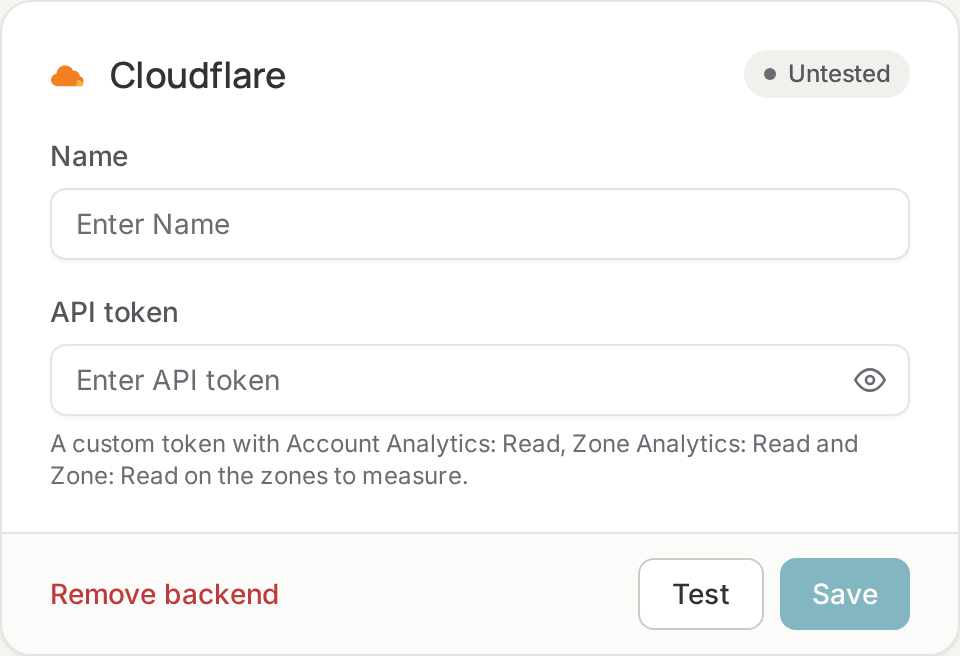
- In Agile Analytics, go to Settings → Error Budgets, press Add Data Source and choose Cloudflare.
- Give it a name and paste the API token.
- Press Test to check the token, then Save.
3. Turn on Web Analytics (for Core Web Vitals)
Skip this step if you only measure availability and response times. Core Web Vitals come from Cloudflare Web Analytics, which measures page loads in the visitor's browser.
- Web Analytics is set per account, not per domain: it isn't on the domain's Analytics page. Go to your account and open Analytics & Logs → Web Analytics (in some dashboards, Web Analytics is directly in the sidebar).
- Open your site and choose Manage site.
- Choose Enable. With "Enable, excluding visitor data in the EU", Cloudflare doesn't measure visitors from the EU, so a European site gets little or no data. Web Analytics uses no cookies, but whoever is responsible for privacy on your site should agree to this.
- Is the site hosted on Cloudflare Pages? Then also open Workers & Pages → your project → Metrics, press Enable under Web Analytics, and deploy the site again. Cloudflare only adds the script to the next deployment.
- To check, open your site and look in the page source for
static.cloudflareinsights.com/beacon.min.js. Give it about a day of visits before you set an SLO on it.
If the script can't be added automatically, Cloudflare also offers it as a snippet to paste into your site.
4. Add SLOs
Continue on the Error budgets page: SLOs on Cloudflare traffic.
What each plan offers
| SLI | Plan or setup |
|---|---|
| Availability | Every plan |
| Origin response time | Every plan |
| Time to first byte | Pro and higher |
| Largest Contentful Paint, Interaction to Next Paint, Cumulative Layout Shift | Web Analytics turned on and loading on the site; every plan |
Agile Analytics asks Cloudflare what each zone's plan includes, and shows why an SLI isn't available.
Replacing the token
Enter the new token on the existing card and press Update backend. A revoked or expired token shows up on the SLOs as The last import failed, and they stop updating until it is replaced.