- Welcome to the Agile Analytics Full Stack Documentation
- 🛠 Getting Started
- General
- [Jira] Connect Agile Analytics to Jira
- [GitLab] Connect Agile Analytics to your GitLab
- [Bitbucket] Connect Agile Analytics to your Bitbucket
- [GitHub] Connect Agile Analytics to your GitHub
- Add repositories to Agile Analytics
- Sprints management
- SAML
- Migration Bug: Post-Mortem
- Add users to your organisation
- Features
Kudos
What is Kudos
Agile Analytics allows you to see with easy-to-use leaderboards who tops the charts and who is shared in the celebration.
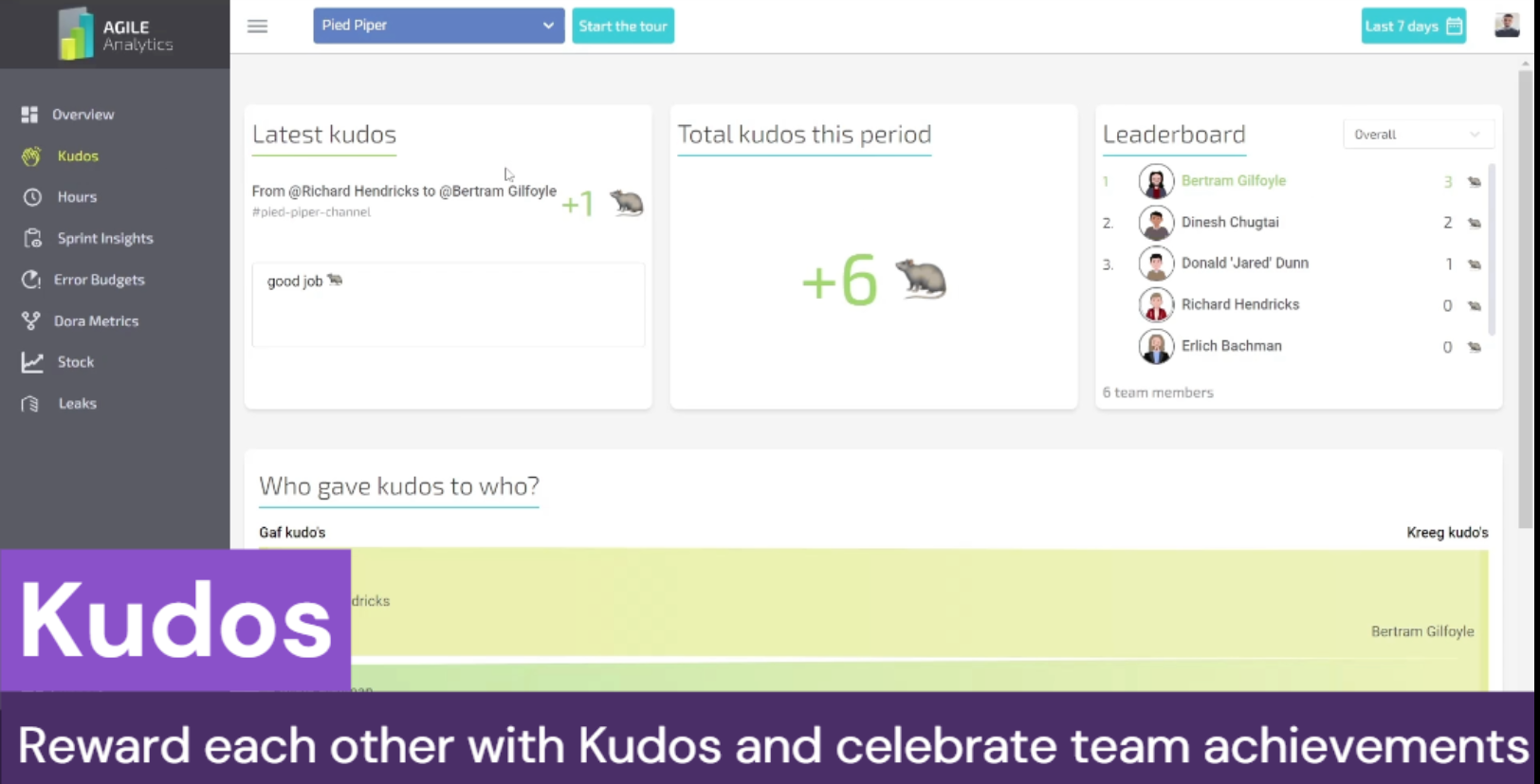
By measuring the Kudos given in communication platforms like Slack, Discord or Microsoft Teams you can see if successes are celebrated and shared.
Give your team members kudos and track who complimented others with Kudos. Measuring aspects like celebration and cooperation creates a safe and fun atmosphere. When teams share successes, the teams are more engaged and productive.
Setting up Kudos
Step 1. Create Agile Analytics API Key
How to create Agile Analytics API key
Step 2. Connect Agile Analytics to your workspace
Connect to Slack: [Slack] Connect Slack to Agile Analytics Connect to Microsoft Teams (coming soon).Connect to Discord (coming soon).
Step 3. Set up Agile Analytics Bot in your workspace
In Slack: [Slack] Set up Agile Analytics Bot in Slack In Microsoft Teams (coming soon).In Discord (coming soon).
Step 4. Setting what Emojis are observed as Kudos
Setting what Emojis are observed as Kudos## Step 5. Add users to the organisation
Don't forget to add your team members to Agile Analytics.
Otherwise, Agile Analytics won’t include their data in the Kudos reporting.How to add users
All set!
How are Kudos counted?
You can choose multiple emojis and use all of them, part or only one to give kudos to somebody.
Let’s imagine we have set up these emojis as Kudos:
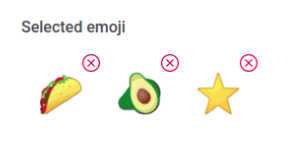
Here are some examples of how Kudos will be counted.
Case 1. Kudo Emoji in the message which tags a person


Messages like these will make to @somebody +3 kudos. (in both cases).

But the last message will add for @somebody only 1 kudo.
Case 2. Reacting to a message with a Kudo Emoji
Somebody reacted with a Kudo Emoji to this message:

The reaction will reward the Zen Bot player account with +1 kudos.
Case 3. Reacting to a message which tags another user
Let’s imagine you want to give kudos to the Zen Bot player:
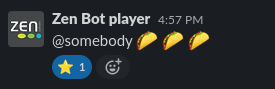
Doing it as a reaction to a message, where a Zen Bot player has tagged @somebody won’t work properly. ****In this case,Bot will give a kudo to @somebody, not to the Zen Bot player.
Here is another example:
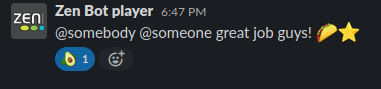
In this case, @somebody and @someone will get +1 extra Kudo each because of the avocado reaction.
To read more about the Agile Analytics bot you can run “/aa top” command in your Slack workspace.