Documentation menu
SAML single sign-on
With SAML single sign-on, your people log in to Agile Analytics with the account they already have at your identity provider (Google Workspace, Microsoft Entra ID, Okta and others). Access is managed in one place, and nobody needs an invitation or a password.
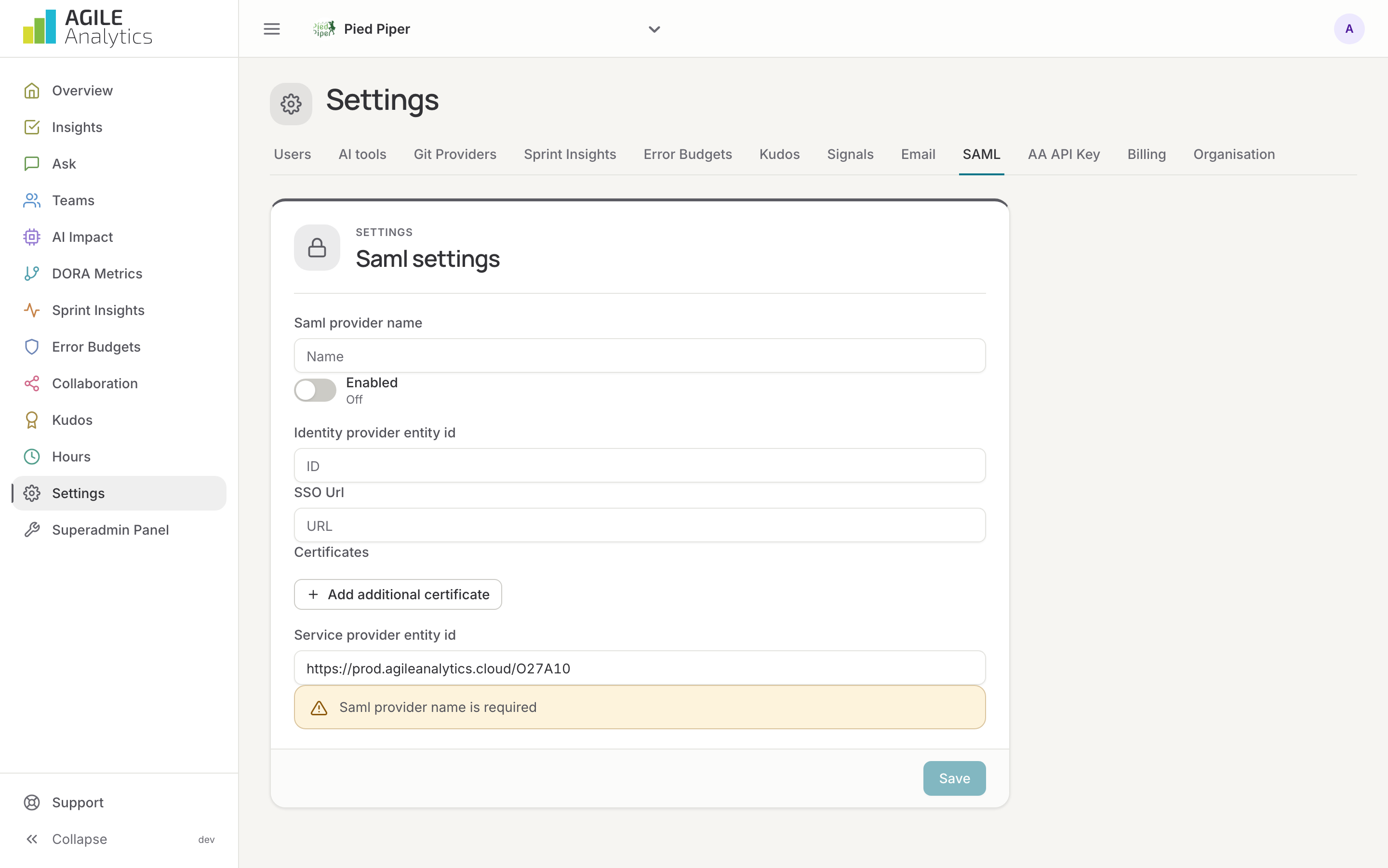
1. Register Agile Analytics at your identity provider
Create a SAML application for Agile Analytics. The identity provider asks for two values from Agile Analytics; both are shown under Settings → SAML:
- Service provider entity ID
- ACS URL (assertion consumer service), where the provider sends the signed-in user back.
Map the user's e-mail address to the NameID or the e-mail attribute. For Google Workspace: Admin console → Apps → Web and mobile apps → Add custom SAML app.
2. Enter the provider in Agile Analytics
- Go to Settings → SAML.
- Give the provider a name.
- Enter the Identity provider entity ID and the SSO URL from your identity provider. Both start with
https://. Google Workspace shows them under Security → Authentication → SSO with SAML applications. - Press Add additional certificate and paste the provider's signing certificate, from
-----BEGIN CERTIFICATE-----to-----END CERTIFICATE-----. Add a second one before the first expires. - Switch the provider on and press Save.
3. Logging in
On the login page, people choose Login with SAML and enter their e-mail address, or open the app from the identity provider's launcher. The first login creates their user with the read role; an admin raises roles under Settings → Users. Someone who was removed from the organisation and signs in again through the provider becomes a reader again.
SAML single sign-on is part of the Scale-Up and Enterprise plans.