Documentation menu
Connect AWS CloudWatch
AWS CloudWatch is a data source for error budgets: Agile Analytics reads your metrics every 30 minutes and measures each SLO against them.
1. Create an access key
- In the AWS console, open IAM → Users and create a user for Agile Analytics, for example agile-analytics-slo, without console access.
- Attach the CloudWatchReadOnlyAccess policy. Nothing else is needed; Agile Analytics only reads.
- Open the user, go to Security credentials → Create access key, choose Third-party service, and copy the Access key ID and the Secret access key. AWS shows the secret once.
2. Add the data source
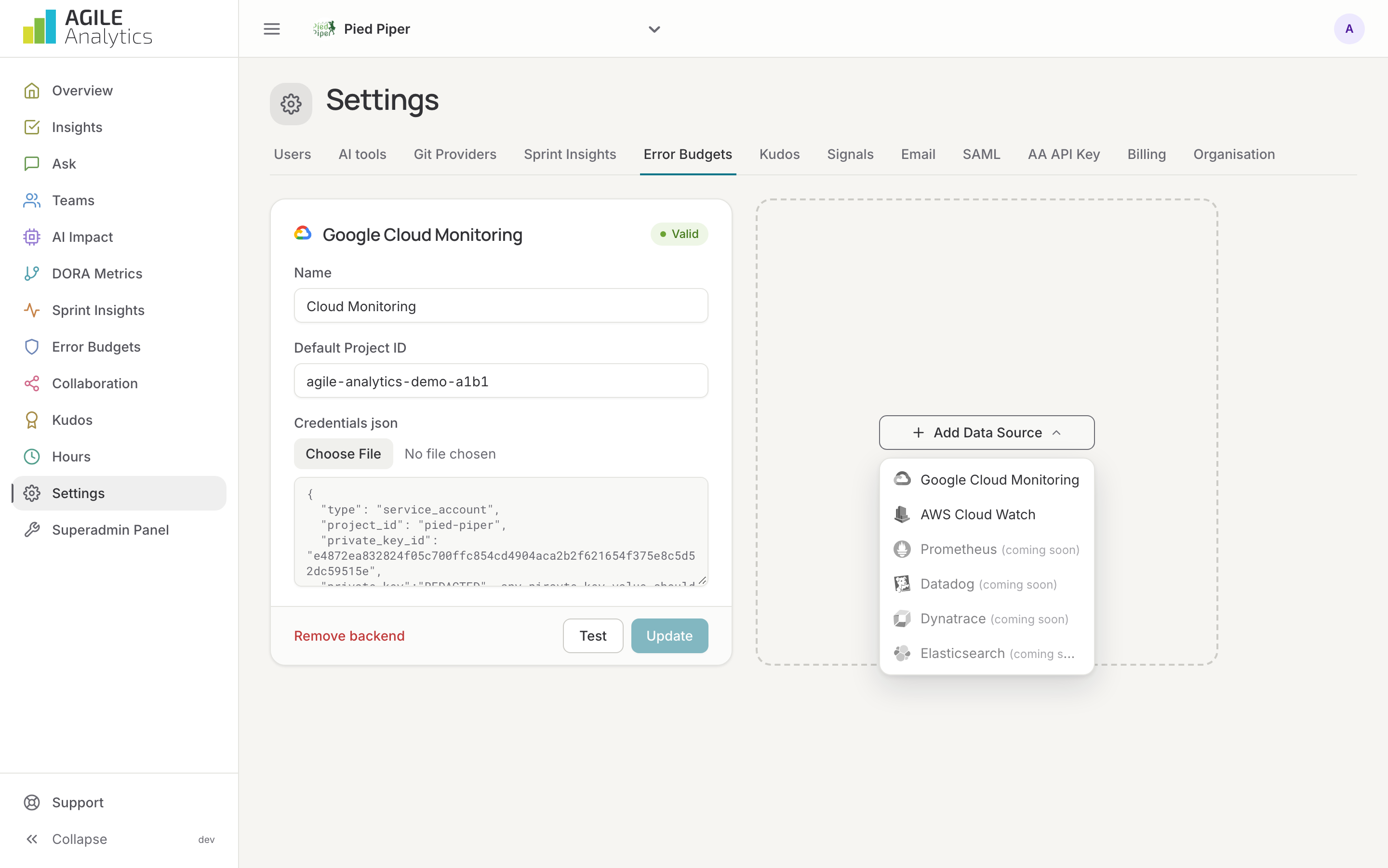
- In Agile Analytics, go to Settings → Error Budgets, press Add Data Source and choose AWS CloudWatch.
- Give it a name and enter the access key ID and secret.
- Press Test to check the credentials, then Save.
3. Add services and SLOs
Continue on the Error budgets page: Error budgets.
Replacing the key
Enter the new key on the existing card and press Update backend. An invalid or rotated key shows up as a failed last job on the Error budgets page, and the SLOs stop updating until it is replaced.