Documentation menu
Connect Slack
The Agile Analytics app for Slack counts kudos, posts signals, answers questions and shows your health in its Home tab. Install it once per workspace from Agile Analytics.
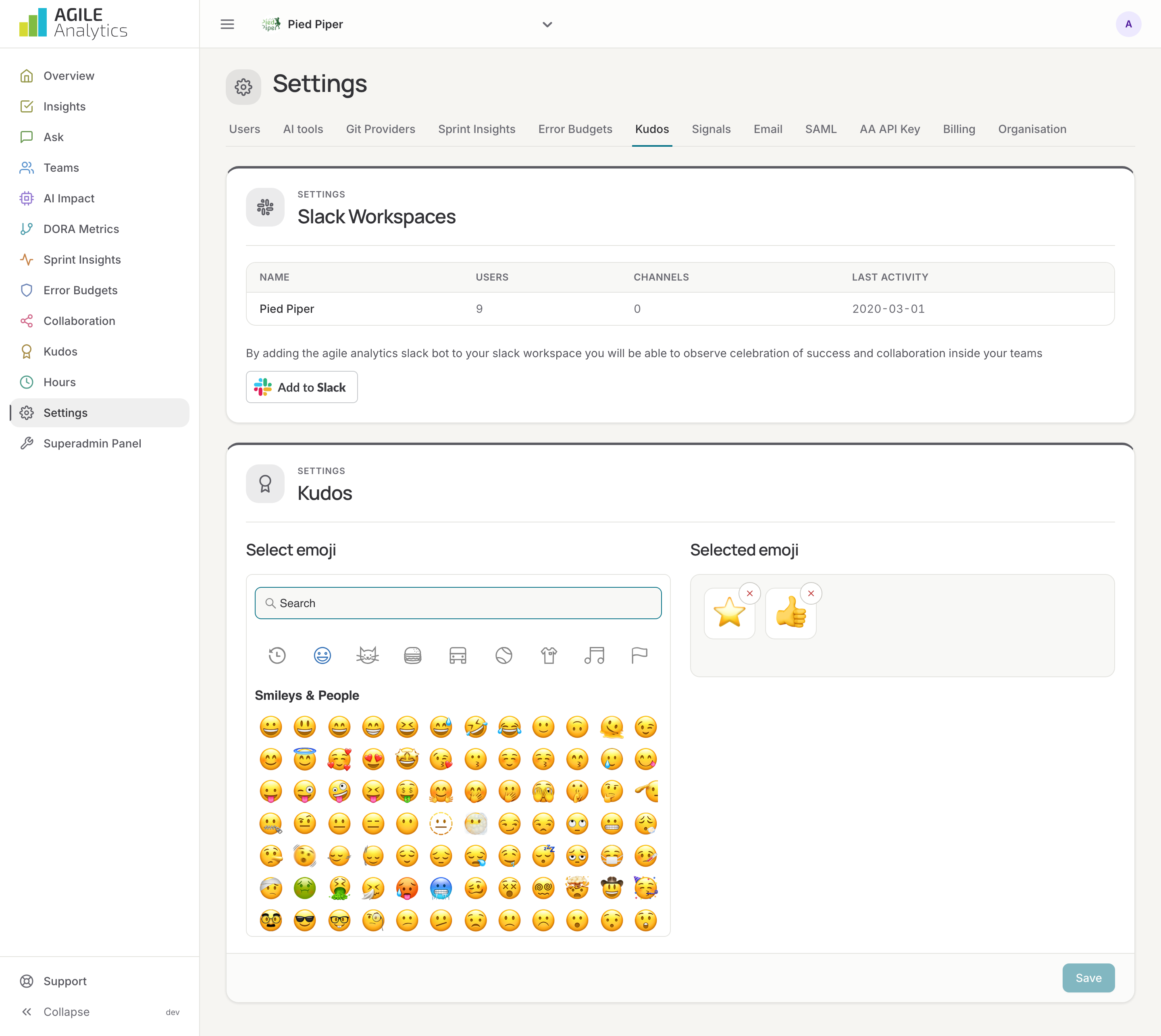
1. Have an API key
The app reads your data with an API key of your organisation. If Settings → AA API Key lists no active key yet, generate one: API keys.
2. Add the app to Slack
You need the admin role in Agile Analytics, and your Slack workspace must allow you to install apps.
- Go to Settings → Kudos and press Add to Slack.
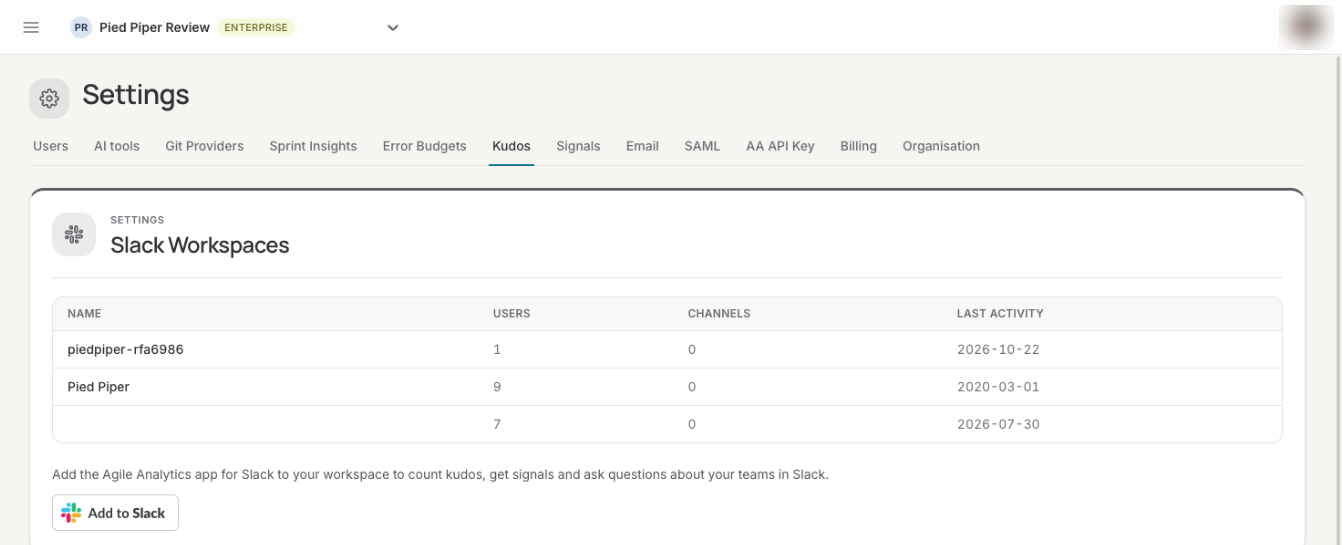
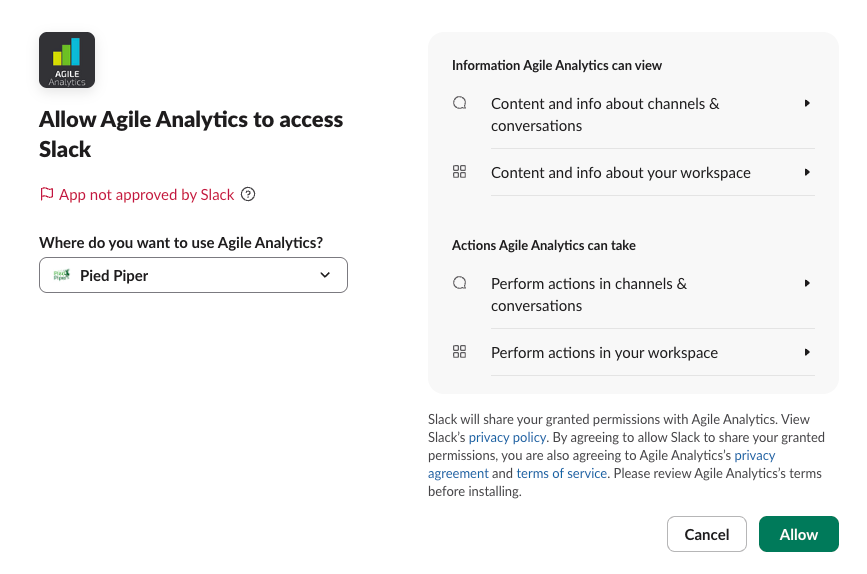
- Slack asks which workspace to connect; pick another one from the menu if needed.
- Read what the app may view and do, and press Allow.
- A page confirms that the app is added, says how many people were imported from the workspace and lists the next steps. Back to Agile Analytics opens Settings → Kudos, where the workspace now appears with its users, channels and last activity.
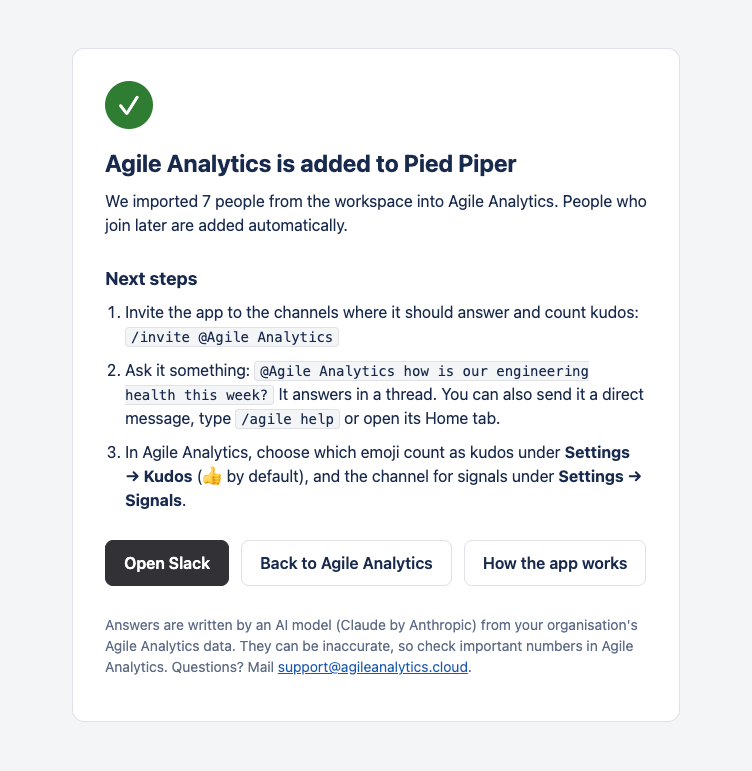
3. Invite the bot to channels
The bot only reads and posts in channels it was invited to. In every channel where people thank each other, or that should receive signals, type:
/invite @Agile Analytics
Or open the channel's details, go to Integrations → Add apps and add Agile Analytics. There is no limit to the number of channels.
4. Choose the kudos emoji
By default the bot counts 👍 as a kudo. Under Settings → Kudos, select every emoji that should count and press Save. How kudos are counted is explained on Kudos.
5. Pick the channel for signals
Under Settings → Signals, switch signals on, pick the channel and the areas to watch, and send a test message. See E-mail and signals.
Using the bot
Mention it in a channel, send it a direct message, type /agile or open its Home tab. Everything it can do, with screenshots, is on Slack app.
Removing the app
In Slack, open Tools → Manage apps, choose Agile Analytics and remove it. Agile Analytics deletes the workspace's token at once, so the bot can no longer read or post in that workspace. The people and kudos already imported stay in Agile Analytics until you remove them; mail support if you want them deleted.