Documentation menu
Sprint schedule
Most agile teams work in sprints of one to four weeks. Agile Analytics knows your sprints in two ways: from Jira, and from a sprint schedule you set yourself.
Sprints from Jira
With Jira connected, Agile Analytics reads the closed sprints of your scrum boards every night. They drive sprint predictability on the Sprint insights page and in the health score, and each sprint links to its sprint report in Jira. Pick the boards of a team in the team editor so the team is scored on its own sprints. Nothing needs to be scheduled by hand for this.
Your own sprint schedule
A sprint schedule lets you pick a sprint as the period at the top of the app, so every page shows exactly one sprint, and lets the reports split time per sprint without Jira.
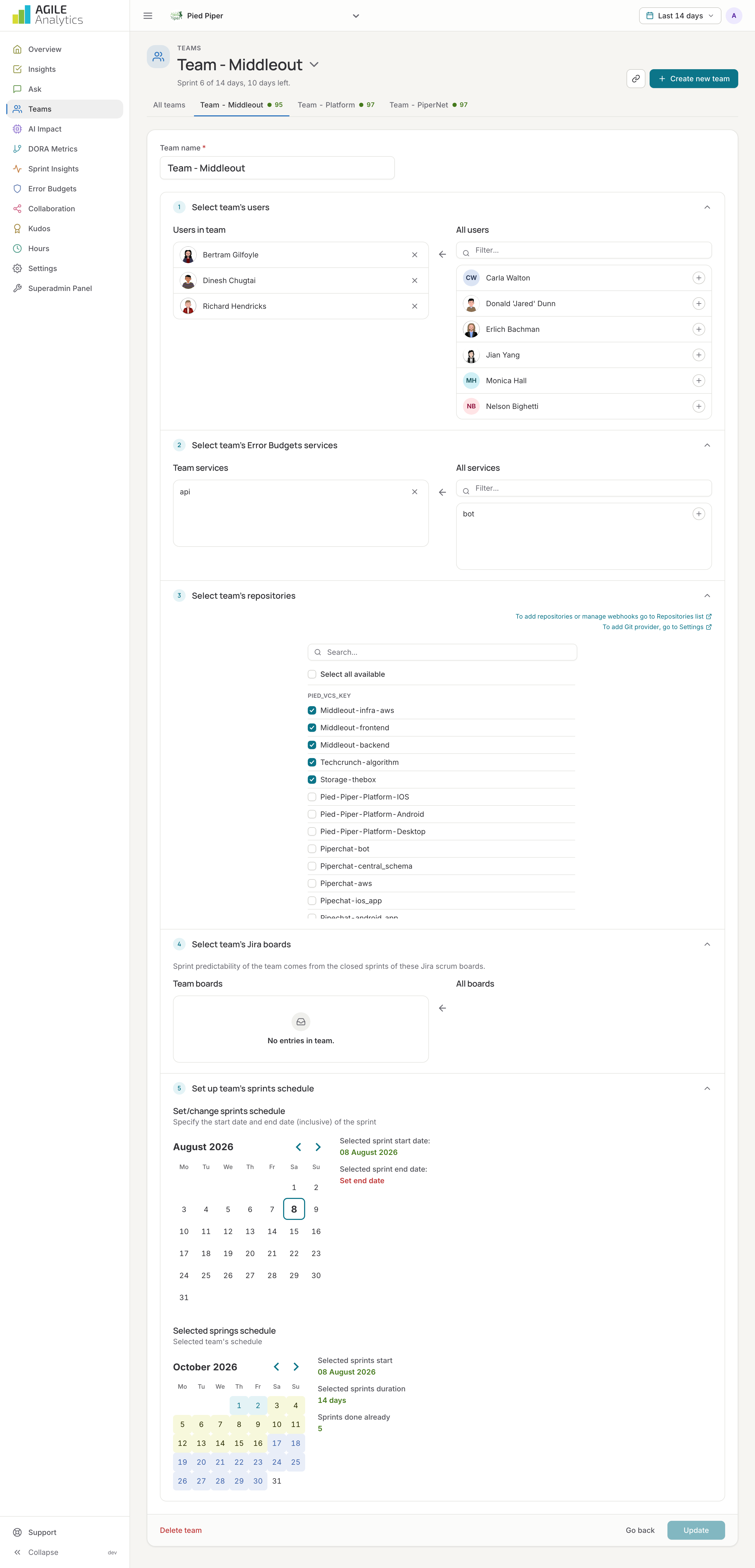
- Open Teams, edit the team and go to the Sprint section.
- Pick the start and end date (inclusive) of the current sprint and press Save.
- Agile Analytics creates the next sprints with the same length automatically and shows how many are done.
The period menu then offers the sprints under Sprints, next to the quick choices (last 7 or 14 days, last 2 or 3 months) and a free date range.