Documentation menu
Insights
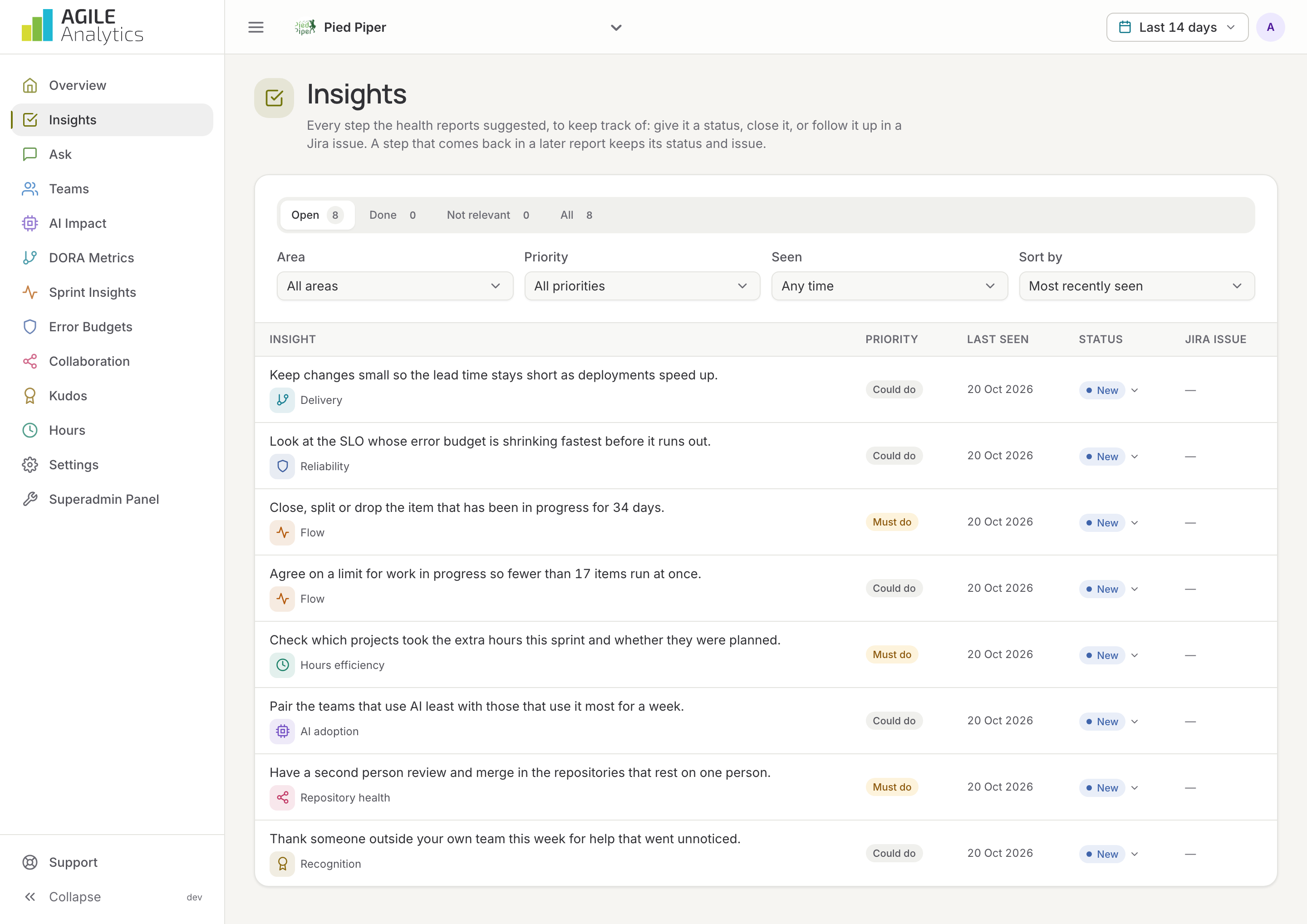
Insights is the to-do list that Agile Analytics writes for you. Every step the health reports suggested ends up here, so you can keep track of it: give it a status, close it, or follow it up in a Jira issue.
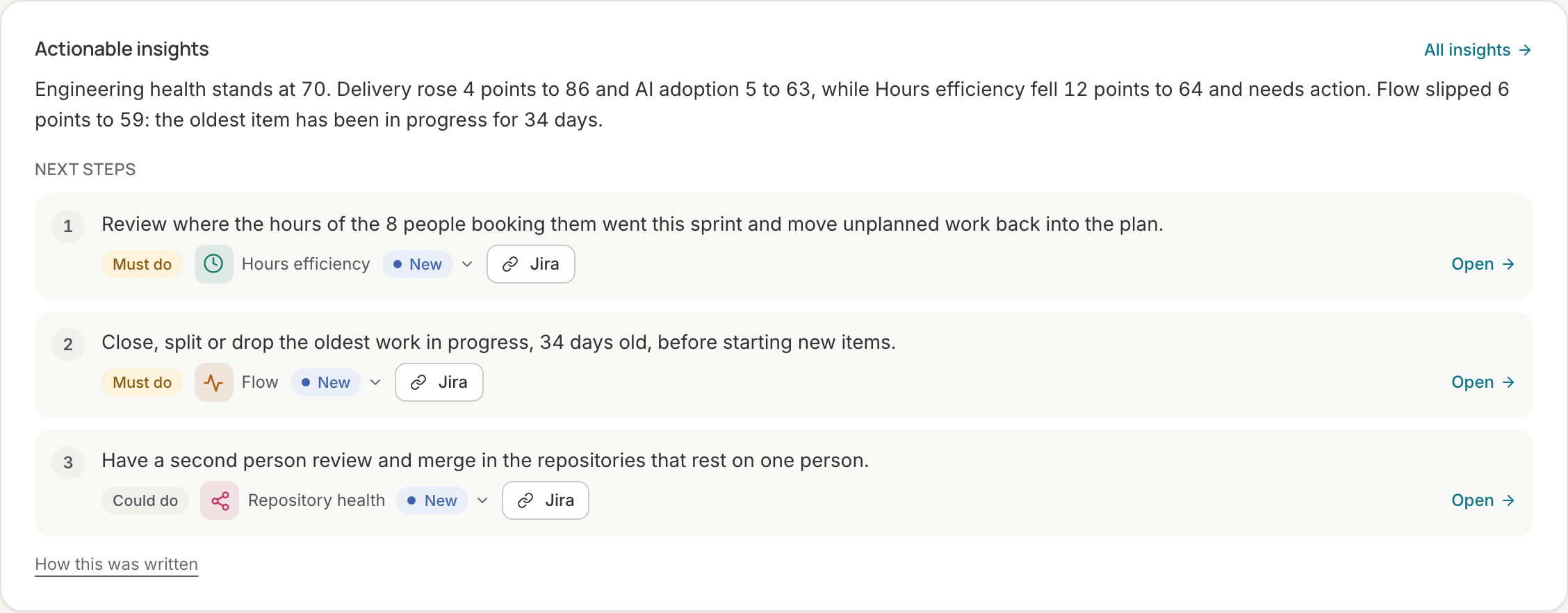
Where insights come from
Each nightly health report ends with one to three next steps for the overview and for every data page (see Overview). A step is about one topic in one area, for example the lead time in Delivery or the error budget of a service in Reliability. When a later report suggests the same topic again, it is the same insight: it keeps its status and history, and its last seen date moves on. A step that no longer comes back is marked Not in the latest report.
The list
The page opens on the open insights. Switch between Open, Done, Not relevant and All, and filter by area, priority (must or could) and when the insight was last seen. Sort by most recently seen or by priority. Each row shows the insight, its priority, when it was last seen, its status and its Jira issue.
Statuses
| Status | Meaning |
|---|---|
| New | Suggested by a report, nobody picked it up yet |
| In progress | Someone is working on it |
| Done | Finished; the step disappears from the cards on the overview and the pages |
| Not relevant | Closed with a reason; it stays closed when a later report suggests it again, unless it comes back as a must, in which case Agile Analytics reopens it |
Change the status from the row's menu or from the detail view. The cards on the overview and the data pages offer the same menu, so you can pick up a step right where you read it.
Detail view
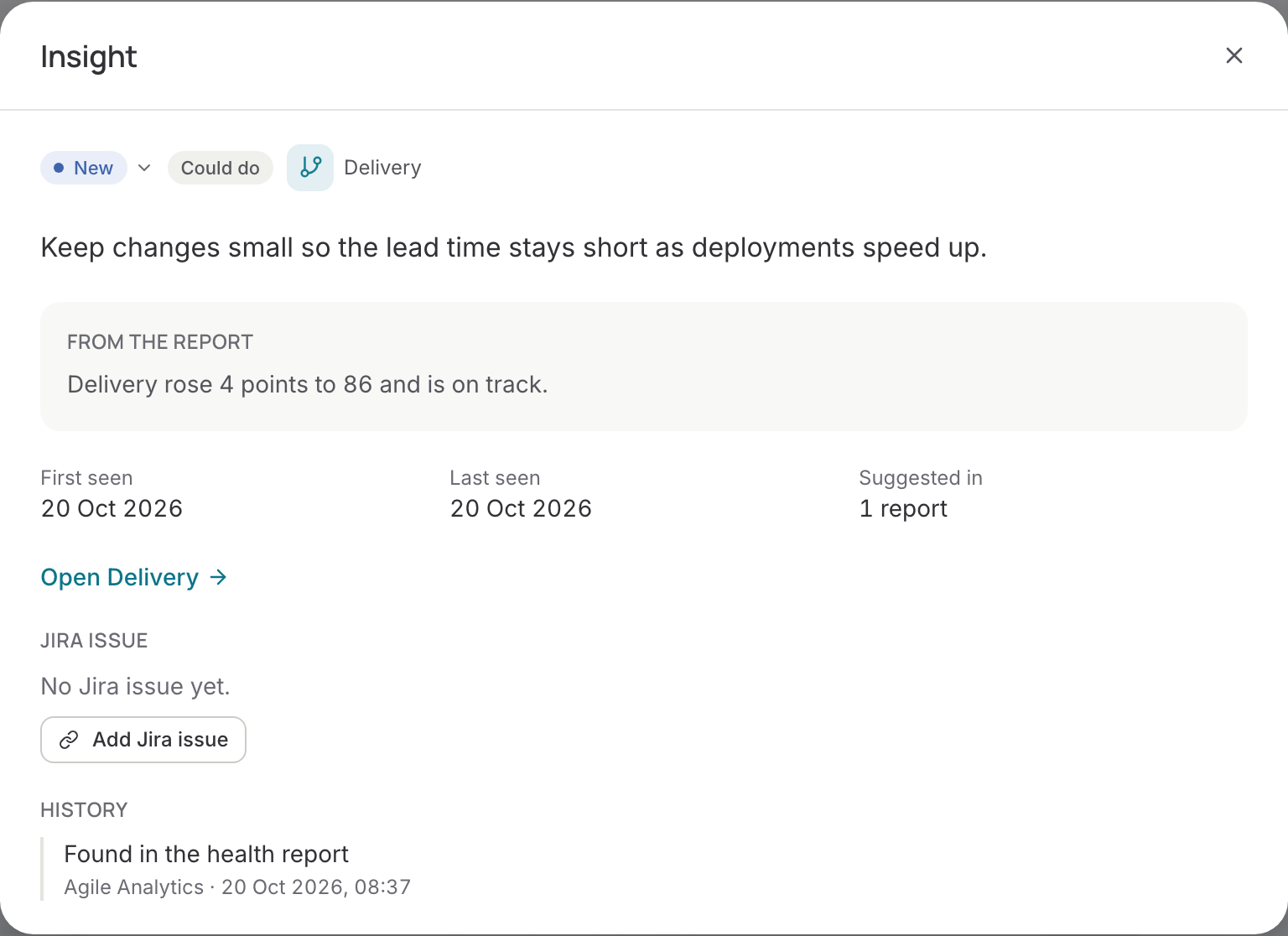
Click an insight to see the text from the report, the reason behind it, when it was first and last seen, in how many reports it appeared, a link to the page it belongs to, its Jira issue and its full history: found in a report, every status change, and every Jira link.
Jira issues
With Jira connected, an insight can be linked to an existing issue (paste the key or the issue's link) or turned into a new one: pick the project and a title, and the issue's description gets the insight and a link back to this page. When the issue is done in Jira, the insight is closed as done too; switch that off with Close insights when their Jira issue is done at the top of the page.
Creating issues needs Jira's permission to write. An organisation that connected Jira before October 2026 sees the message Jira does not allow Agile Analytics to create issues yet: reconnect Jira under Settings → Sprint insights once to allow it.