Documentation menu
E-mail and signals
Agile Analytics comes to you. Once a week it mails an overview, and every morning it checks whether something slipped and tells your Slack channel.
Weekly overview by e-mail
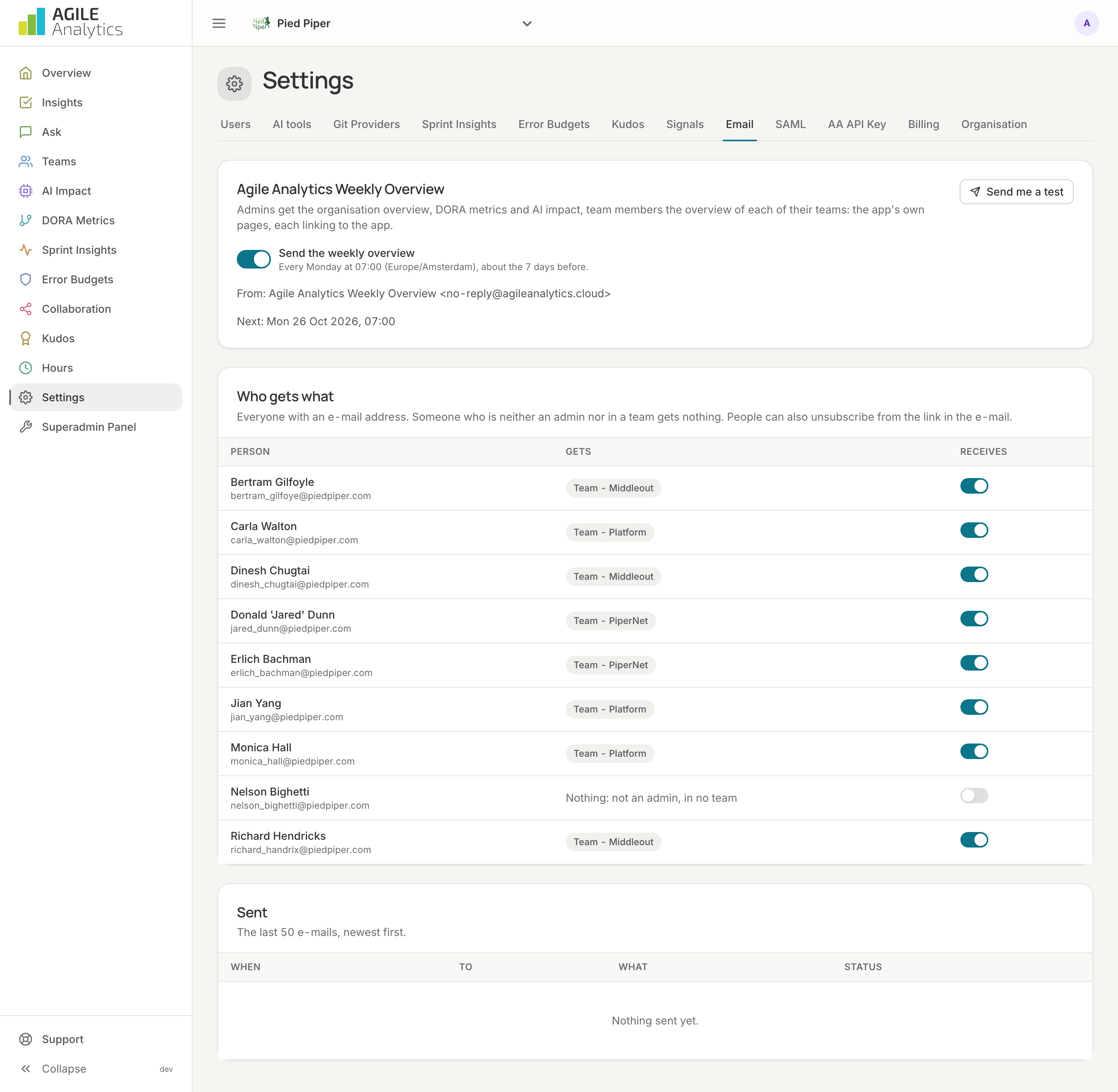
Every Monday morning, Agile Analytics sends the Agile Analytics Weekly Overview:
- Admins get the organisation's overview, DORA metrics and AI impact.
- Team members get the overview of each of their teams.
The e-mail shows the app's own pages, rendered exactly as in the browser, each linking back to the app. Someone who is neither an admin nor in a team gets nothing. Everyone can unsubscribe from the link in the e-mail.
Admins manage it under Settings → Email: switch the weekly overview on or off, see when the next one goes out, send yourself a test, see who gets what, and read the log of the last 50 e-mails with their status. The sender is no-reply@agileanalytics.cloud.
Signals in Slack
A signal is a short message when something specific needs a look:
| Signal | When |
|---|---|
| Area slipped / recovered | A health area dropped by more than the threshold you set, slipped further, or is back up |
| SLO over budget / resolved | An SLO went over its error budget, or is back within it |
| Repository rests on one person | Only one person was active in a repository in the period |
| Repository has nobody active left | Nobody committed or merged in a repository that used to be active |
| Stale work | A Jira item has been in progress for more than 30 days |
| DORA tier dropped / improved | A DORA metric moved to another performance tier |
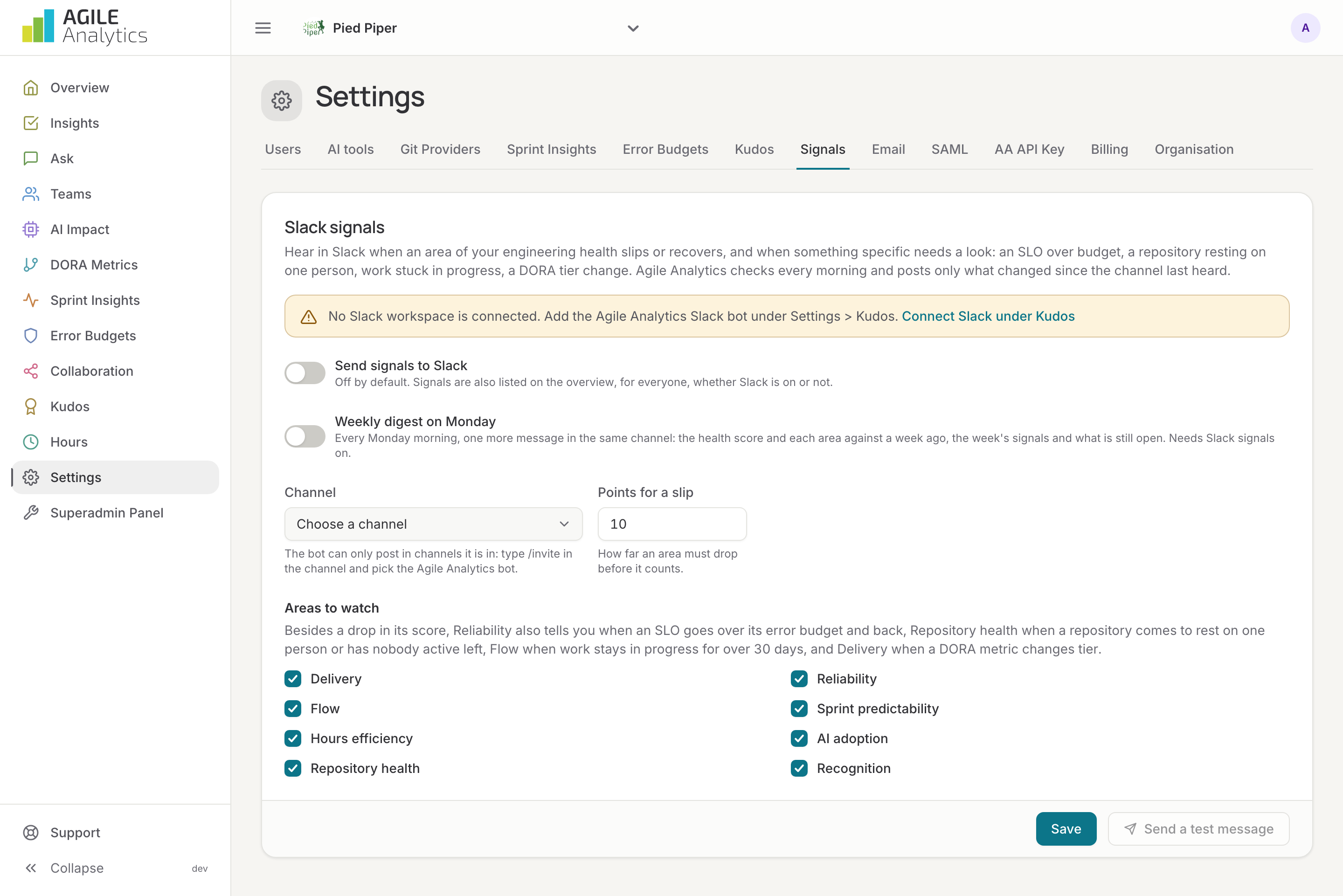
Signals are found every morning and always listed on the overview under Recent signals, for everyone. Posting them to Slack is off by default; admins switch it on under Settings → Signals:
- Connect Slack under Settings → Kudos, if not done yet: Connect Slack.
- Invite the bot to the channel that should receive signals: type
/invitein the channel and pick Agile Analytics. The bot can only post in channels it is in. - Pick the channel, set how many points an area must drop before it counts, and tick the areas to watch.
- Save, then press Send a test message to check the channel.
Each signal in Slack has a Snooze option in its menu. With Weekly digest on Monday on, the same channel gets one more message every Monday morning: the health score and each area against a week ago, the week's signals and what is still open.
The bot can do more than post signals: ask it questions, use the /agile command, and count kudos. See Slack app.