Documentation menu
Slack app
Agile Analytics brings your engineering metrics into Slack, so your teams see how they are doing where they already talk. Ask about your team's health, DORA metrics, sprints, error budgets or AI adoption and get an answer from your own Agile Analytics data, with charts. Get a short message when something slips, and celebrate each other with kudos.
About AI answers: answers are written by an AI model (Claude by Anthropic) from your organisation's Agile Analytics data. They can be inaccurate or incomplete, so check important numbers in Agile Analytics. Your Slack data is never used to train AI models.
Install
You need an Agile Analytics account (start a free trial) and the admin role in your organisation.
- In Agile Analytics, open Settings → AA API Key and generate a key, if your organisation has none yet. The bot uses it to read your data.
- Open Settings → Kudos and click Add to Slack.
- Slack asks which workspace to connect and shows what the app may do. Click Allow.
- You return to Agile Analytics, which imports your workspace's people. The page shows how many were added.
Step by step with screenshots: Connect Slack.
After installing
- Invite the bot to the channels where it should answer and count kudos:
/invite @Agile Analytics. - Choose which emoji count as kudos in Settings → Kudos (👍 by default).
- Choose the channel for signals in Settings → Signals.
What the bot does in Slack
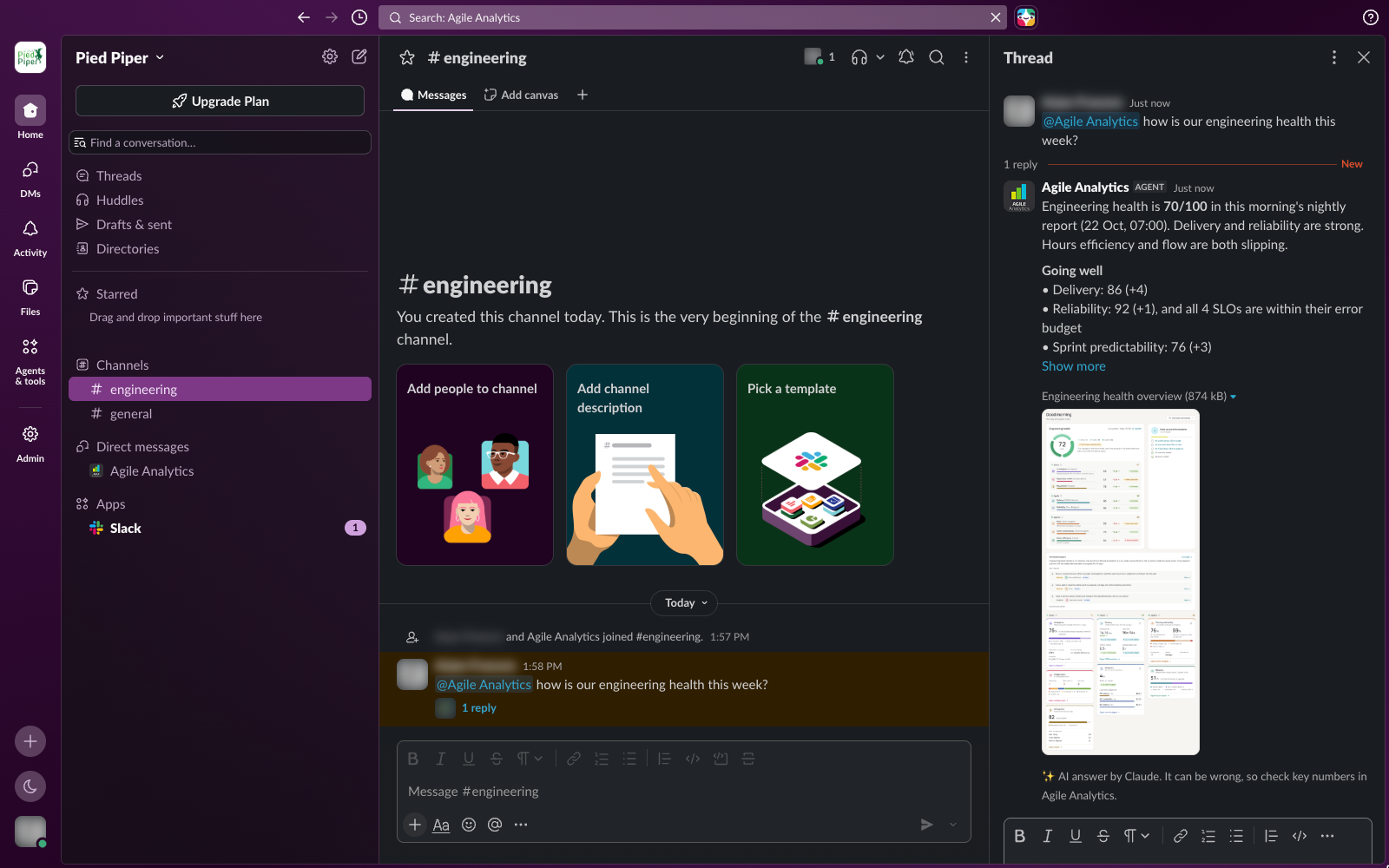
The bot only posts when someone asks it something, when a signal is due, or in reply to a button. It never posts in channels it wasn't invited to.
| You | The bot |
|---|---|
Mention it in a channel: @Agile Analytics how is our health this week? | Answers in a thread under your message, with charts and links to the details. |
| Reply in that thread, without mentioning it | Answers the follow-up, as long as the thread is a conversation with the bot and your reply mentions nobody else. |
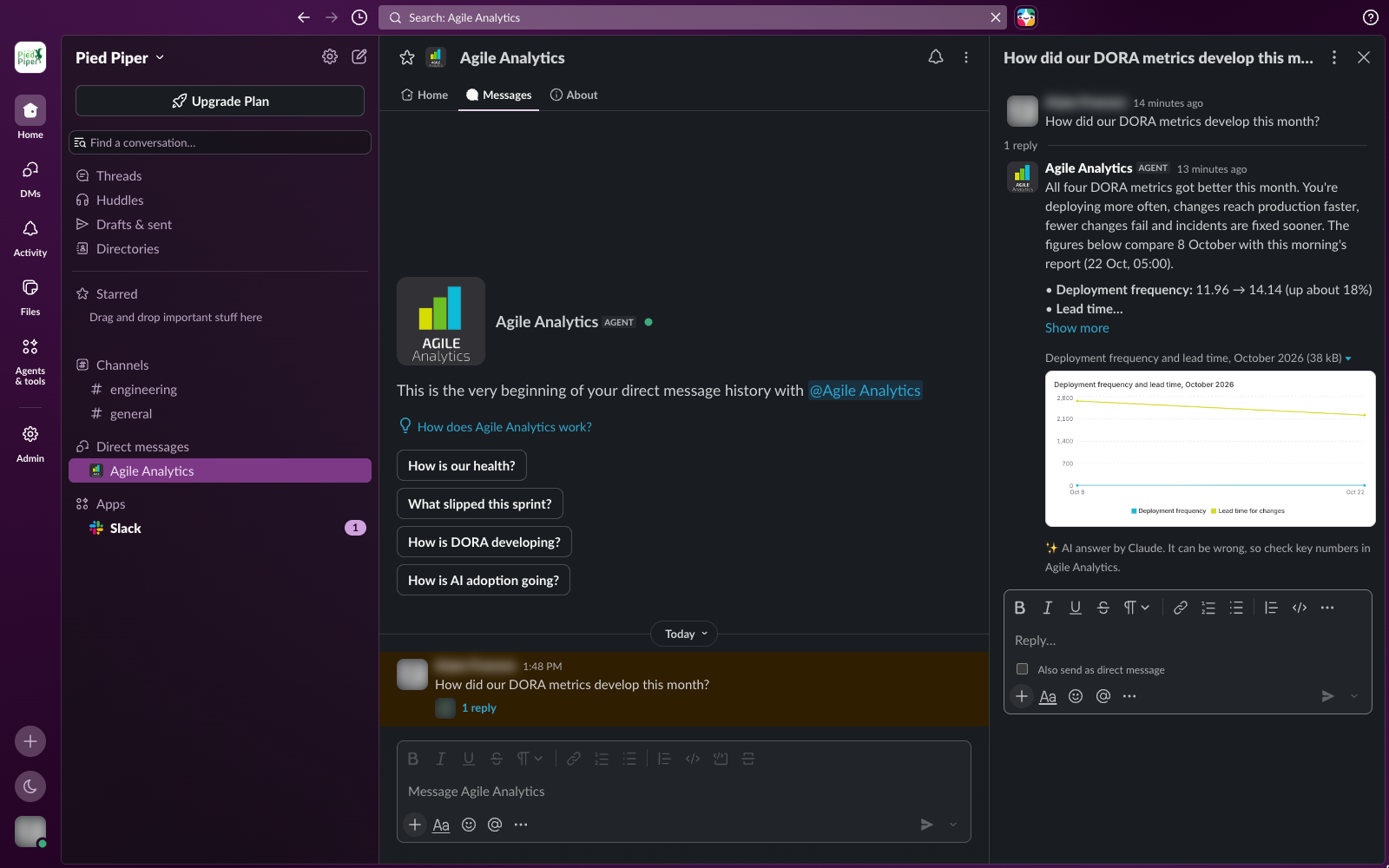
| Send it a direct message | Answers in the direct message. |
| Open it from Slack's top bar (agent window) | Greets you with suggested questions, shows a status while it looks things up and answers there. The agent window needs a paid Slack plan. |
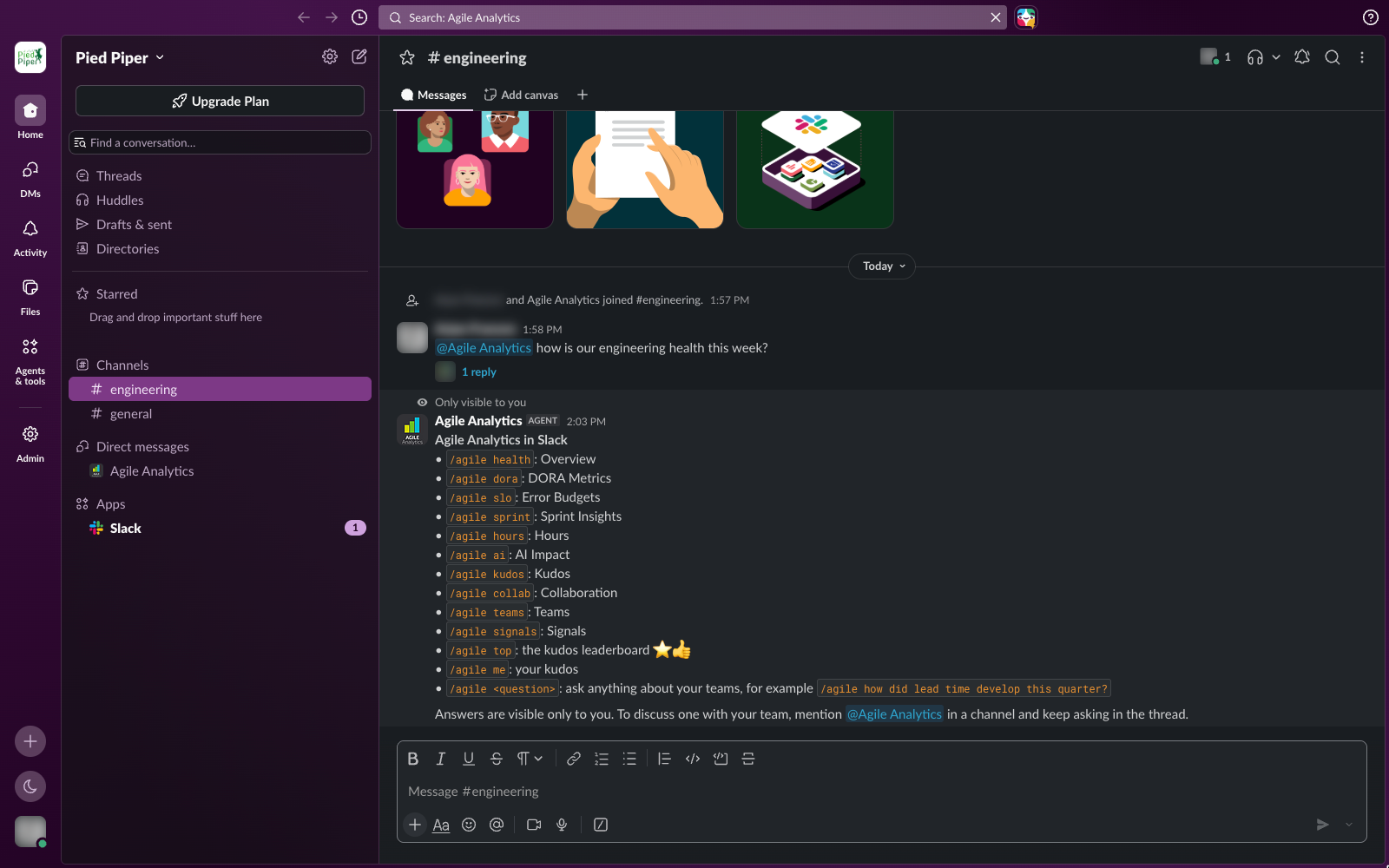
Type /agile | Answers only you; see The /agile command. |
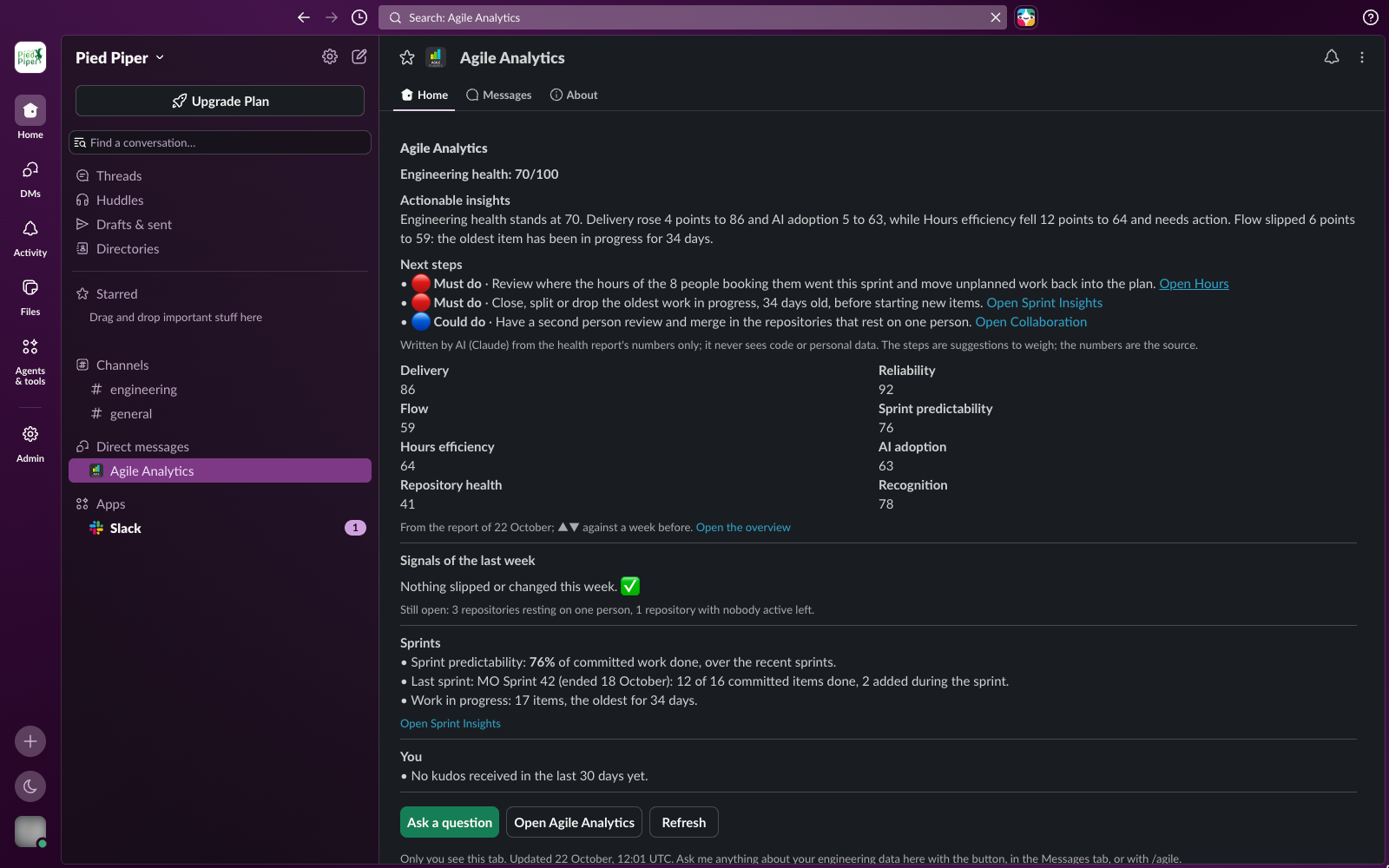
| Open the bot's Home tab | Shows your organisation's health and the steps that need attention first, with a Refresh button and an Ask a question form. |
Post a kudos emoji with a mention (Thanks @Dinesh :star:), or add it as a reaction | Counts kudos for the people mentioned, or for the author of the message you reacted to. Removing the reaction or the emoji takes the kudos back. |
| Nothing: a metric slips | Posts a short morning message in the signals channel when a health area drops, an SLO runs out of error budget, a repository comes to rest on one person, or work has been in progress for over 30 days. Snooze a signal from its menu. |
| Ask it to draft a team | Shows the drafted team with a Create team button; people with write access can create it. |
The /agile command
| Command | Answer |
|---|---|
/agile or /agile help | What the command can do |
/agile health | The overall health score and each area, with what needs attention |
/agile dora | Deployment frequency, lead time, change failure rate and time to restore |
/agile slo | Error budgets: SLOs over or close to their budget |
/agile sprint | Sprint predictability and work in progress |
/agile hours | Booked hours per project |
/agile ai | AI adoption over the last 30 days |
/agile kudos | Kudos given and received, and who gave kudos to whom |
/agile collab | Repositories that rest on one person |
/agile teams | Your teams with their members, repositories and services |
/agile signals | The signals of the last 14 days |
/agile top / /agile me | The kudos leaderboard / your own kudos |
/agile <any question> | An answer to your question, for example /agile how did lead time develop this quarter? |
Your data
- The bot stores your workspace's id and its token, your people's Slack name, e-mail, photo and presence, and kudos messages.
- It reads other messages only in channels it was invited to, to spot kudos and follow-up questions; it doesn't store them.
- Questions are sent to Claude (Anthropic) to write the answer and are not stored by Agile Analytics.
Details: privacy policy.
Uninstall
In Slack, open Tools → Manage apps (or the app's page), choose Agile Analytics and remove it. Agile Analytics deletes the workspace's token at once, so the bot can no longer read or post in that workspace. The people and kudos already imported stay in Agile Analytics until you remove them; mail support if you want them deleted.
Help
Mail support@agileanalytics.cloud or use the contact page.