Documentation menu
Health score
The engineering health score on the overview is one number from 0 to 100 for the whole organisation, or for a team. This page explains how it is built.
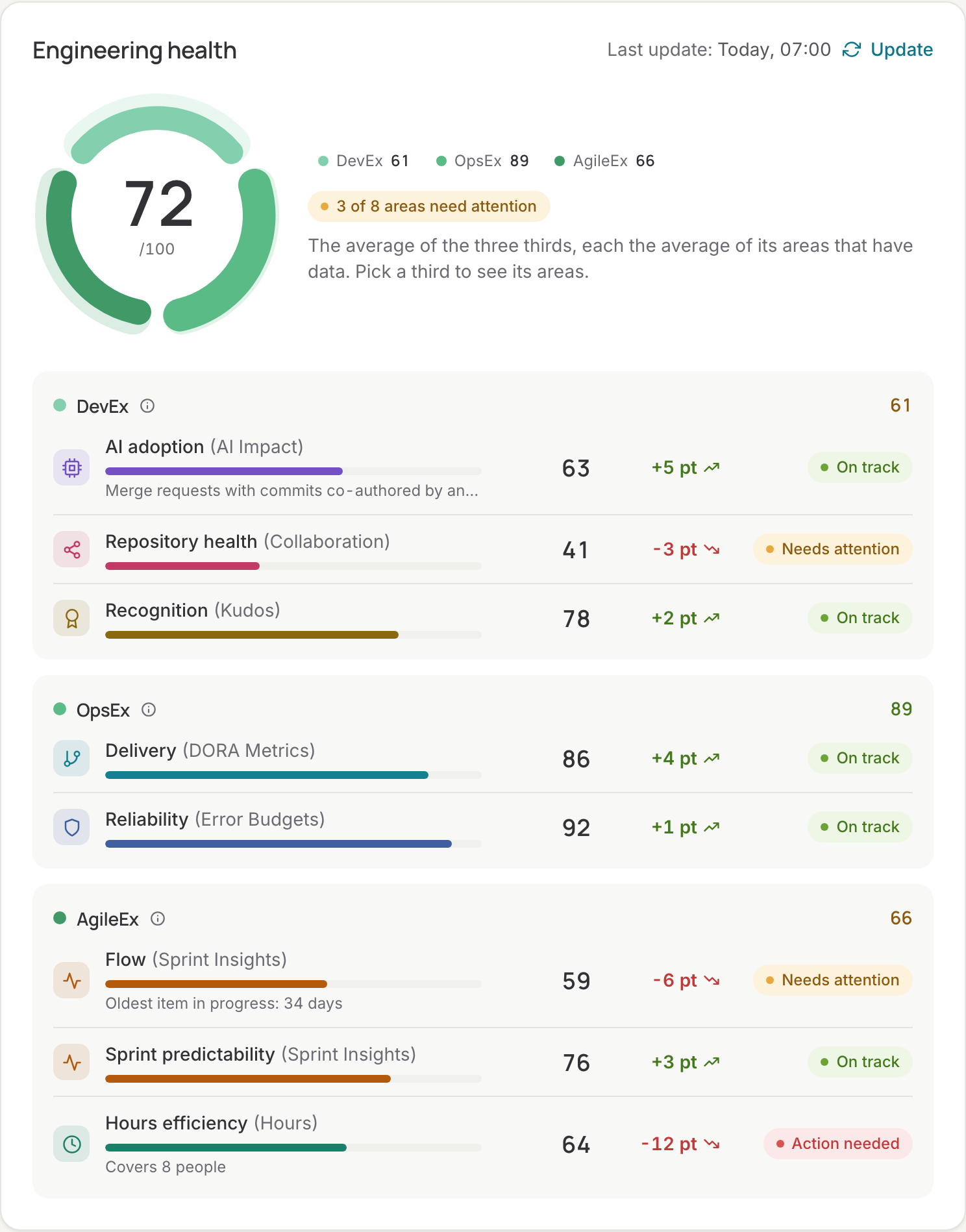
Eight areas in three thirds
| Third | Area | Score |
|---|---|---|
| Developer experience | AI adoption | The share of attributed merge requests that were AI assisted in the last 30 days, against a target of 50%: 25% adoption scores 50, 50% or more scores 100. |
| Repository health | The share of active repositories that are healthy: not dormant and not resting on one person. | |
| Recognition | The share of team members who received kudos in the last 30 days. No data when nobody gave kudos for 90 days. | |
| Operations experience | Delivery | The DORA metrics over the last 90 days: deployment frequency as the median per repository, lead time rated on cycle time, time to restore, and change failure rate only when failures can be detected (repositories linked to an SLO, or a hotfix or revert in the last year). Each metric scores by its performance tier; the area is their average. |
| Reliability | Each SLO scores 100 within its error budget, and loses points the further it overspent, down to 0 at twice the budget; the area is the average over the SLOs, measured on the 24-hour step. | |
| Agile experience | Flow | The share of Jira work in progress that is under 10 days old. Items untouched for 180 days count as abandoned and are left out. |
| Sprint predictability | Of the items a sprint started with, the share done when it closed, averaged over the closed sprints of the last 90 days. Needs at least three closed sprints. | |
| Hours efficiency | Booked hours against contract hours in the period. |
From areas to the total
- Each third is the average of its areas that have data. An area that is not set up, or measured nothing in the period, is left out; it does not count as zero.
- The total is the average of the thirds that have at least one scored area.
So an organisation without error budgets is not punished for it: Operations experience is then the delivery score alone. The ring on the overview shows the three thirds; click one to see its areas.
Status per area
| Score | Status |
|---|---|
| 75 and up | On track |
| 50 to 74 | Needs attention |
| Under 50 | Action needed |
| Not measured | No data |
The same colours are used for the thirds and the total.
Teams
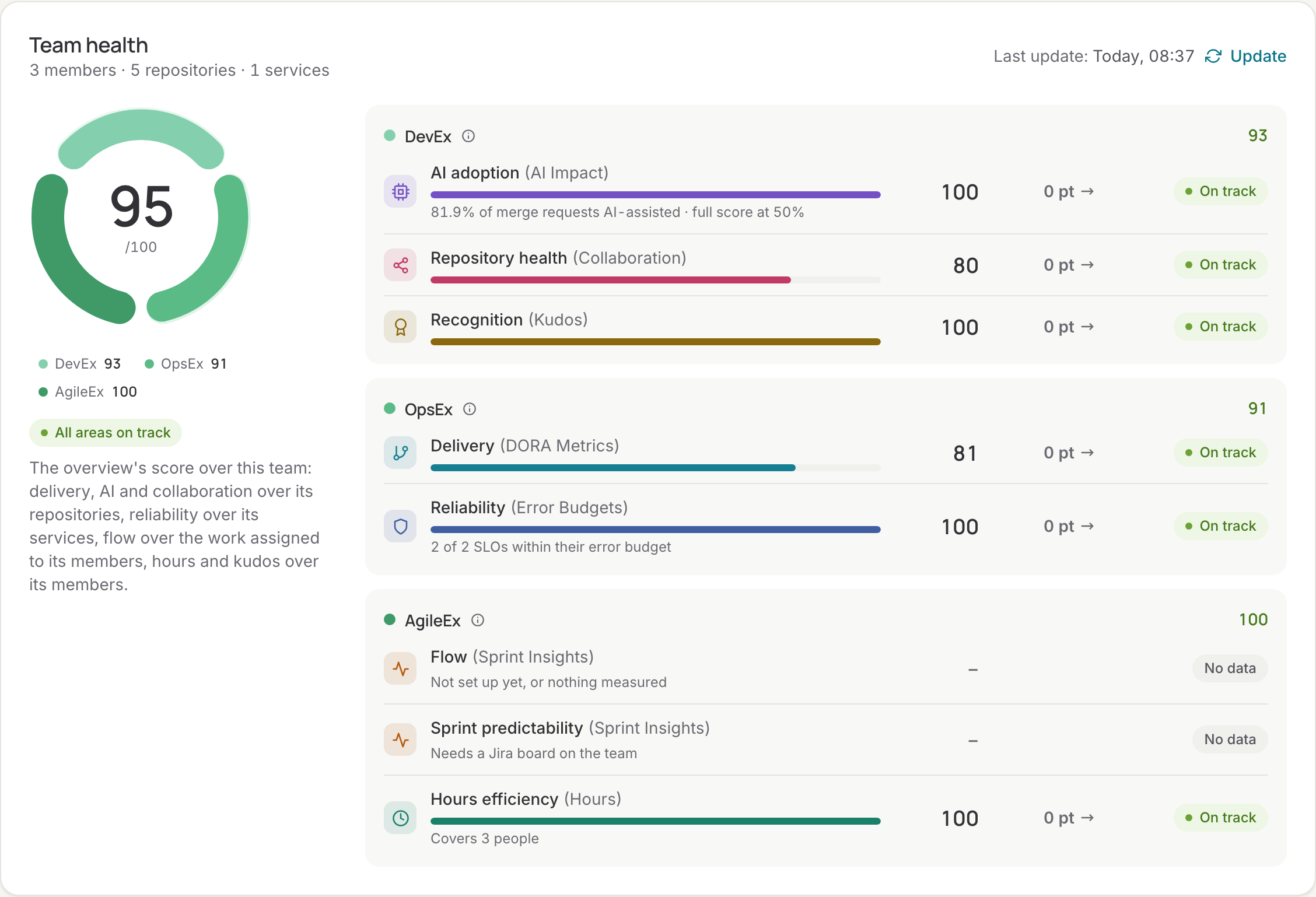
A team is scored the same way over its own links: delivery, AI adoption and repository health over its repositories; reliability over its services; flow over the work assigned to its members in Jira; sprint predictability over the closed sprints of its Jira boards; recognition over its members. The All teams view on the Teams page compares the teams over the period picked at the top of the app.
When it is calculated
Every night, for the organisation and every team. Update on the overview or a team page makes a fresh report at once. The report also feeds the actionable insights, the signals, the weekly e-mail and the Slack digest, so all of them show the same numbers.