- Welcome to the Agile Analytics Full Stack Documentation
- 🛠 Getting Started
- General
- [Jira] Connect Agile Analytics to Jira
- [GitLab] Connect Agile Analytics to your GitLab
- [Bitbucket] Connect Agile Analytics to your Bitbucket
- [GitHub] Connect Agile Analytics to your GitHub
- Add repositories to Agile Analytics
- Sprints management
- SAML
- Migration Bug: Post-Mortem
- Add users to your organisation
- Features
Add users to your organisation
Agile Analytics only tracks the data of the users, which were added to the organisation.To add users, do the following:
-
Go to Settings → Users tab and press the “Add user” button.

-
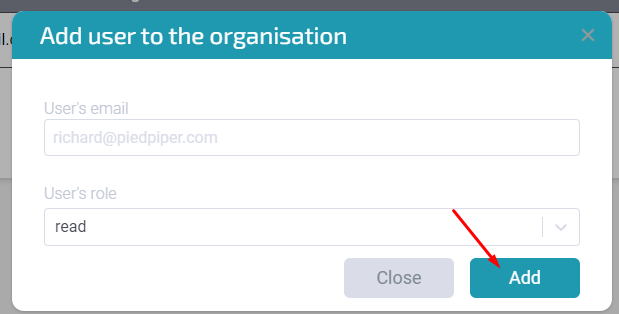
Add the user's email and set their role. Press “Add”.
-
Done! After adding the user, you’ll be able to see them in Kudos Leaderboard and Hours' timesheets/reports.