- Welcome to the Agile Analytics Full Stack Documentation
- 🛠 Getting Started
- General
- [Jira] Connect Agile Analytics to Jira
- [GitLab] Connect Agile Analytics to your GitLab
- [Bitbucket] Connect Agile Analytics to your Bitbucket
- [GitHub] Connect Agile Analytics to your GitHub
- Add repositories to Agile Analytics
- Sprints management
- SAML
- Migration Bug: Post-Mortem
- Add users to your organisation
- Features
Connect AWS CloudWatch
To connect AWS Cloud Watch to Agile Analytics, do the following:
-
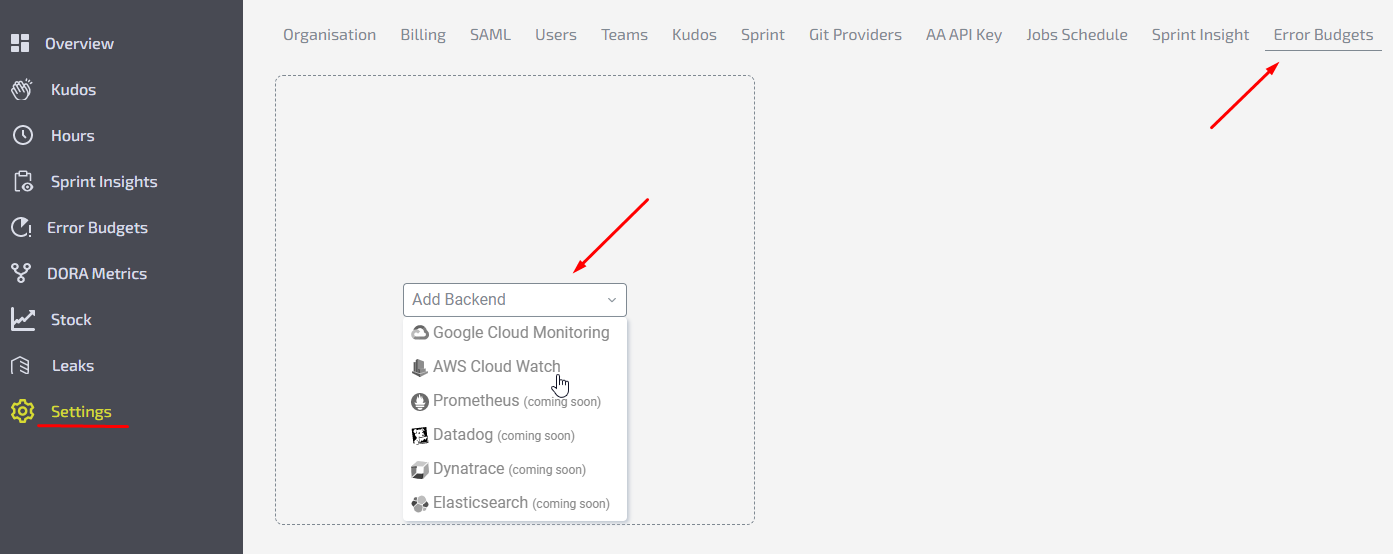
Go to Settings → Error Budgets tab.
-
Click to “Add backend” and choose AWS Cloud Watch.
-
Fill in the form fields.Name - give a name to your backend.Access Key ID & Access Key Secret, how to found: https://docs.aws.amazon.com/powershell/latest/userguide/pstools-appendix-sign-up.html
-
Click Test to check if the provided creds are valid.
-
Click Save.