- Welcome to the Agile Analytics Full Stack Documentation
- 🛠 Getting Started
- General
- [Jira] Connect Agile Analytics to Jira
- [GitLab] Connect Agile Analytics to your GitLab
- [Bitbucket] Connect Agile Analytics to your Bitbucket
- [GitHub] Connect Agile Analytics to your GitHub
- Add repositories to Agile Analytics
- Sprints management
- SAML
- Migration Bug: Post-Mortem
- Add users to your organisation
- Features
Add repositories to Agile Analytics
-
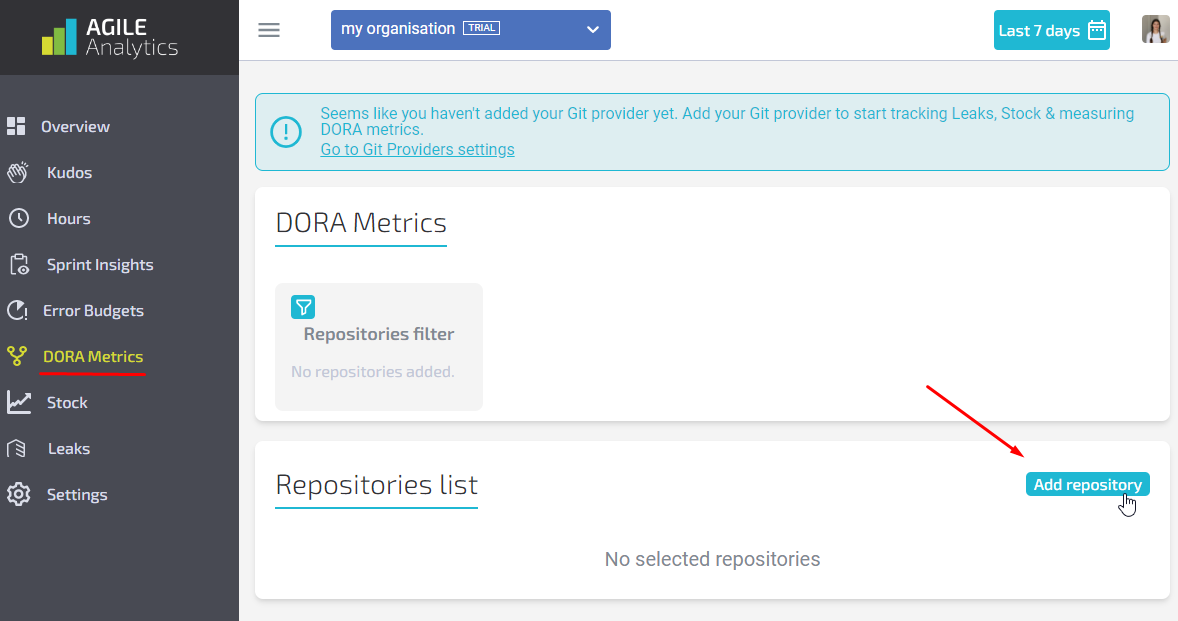
Go to the Dora Metrics page and click “Add repository“.
-
In the popup select the Git provider you want to add repositories from and press “Next”. If you don`t have any providers in the list, connect it to Agile Analytics first.Connect GitHub: [GitHub] Connect Agile Analytics to your GitHub Connect GitLab: [GitLab] Connect Agile Analytics to your GitLab Connect Bitbucket: [Bitbucket] Connect Agile Analytics to your Bitbucket
-
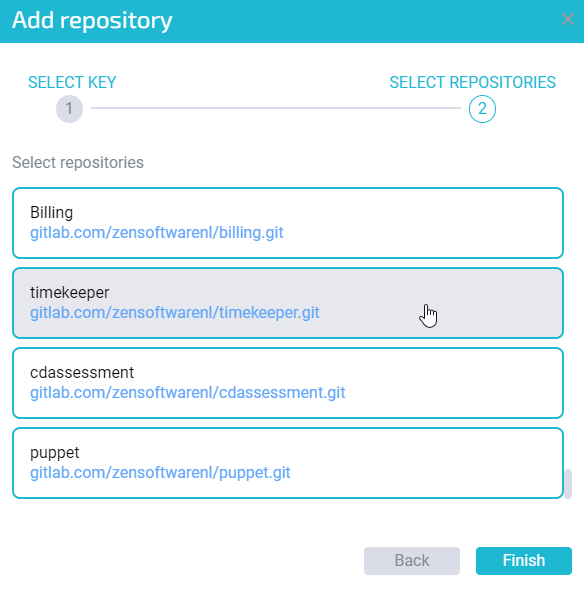
Select repositories from the list and press “Finish”.
-
After adding process is finished, you’ll be able to see added repositories in the Repositories List:
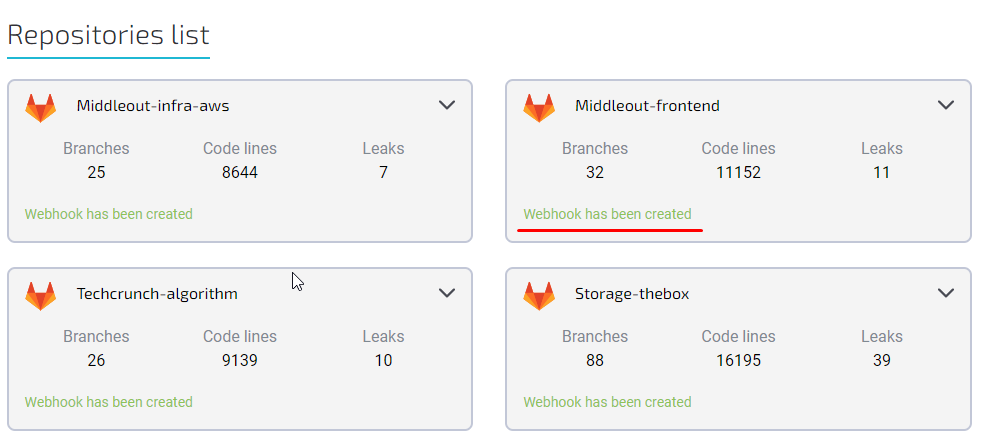
- Make sure that webhooks was created for every repository. Repositories without webhooks won`t be included in some Metrics (DORA etc.). If there is no webhook for a repository, you can create it manually by pressing “Create webhook”.

Done! Now Agile Analytics is able to track activity in your repositories and provide reporting.