- Welcome to the Agile Analytics Full Stack Documentation
- 🛠 Getting Started
- General
- [Jira] Connect Agile Analytics to Jira
- [GitLab] Connect Agile Analytics to your GitLab
- [Bitbucket] Connect Agile Analytics to your Bitbucket
- [GitHub] Connect Agile Analytics to your GitHub
- Add repositories to Agile Analytics
- Sprints management
- SAML
- Migration Bug: Post-Mortem
- Add users to your organisation
- Features
Connect Jira
To connect Jira to Agile Analytics, follow the video guide or the steps below.
https://www.youtube.com/watch?v=InQDiSLt_Dc&t=5s
-
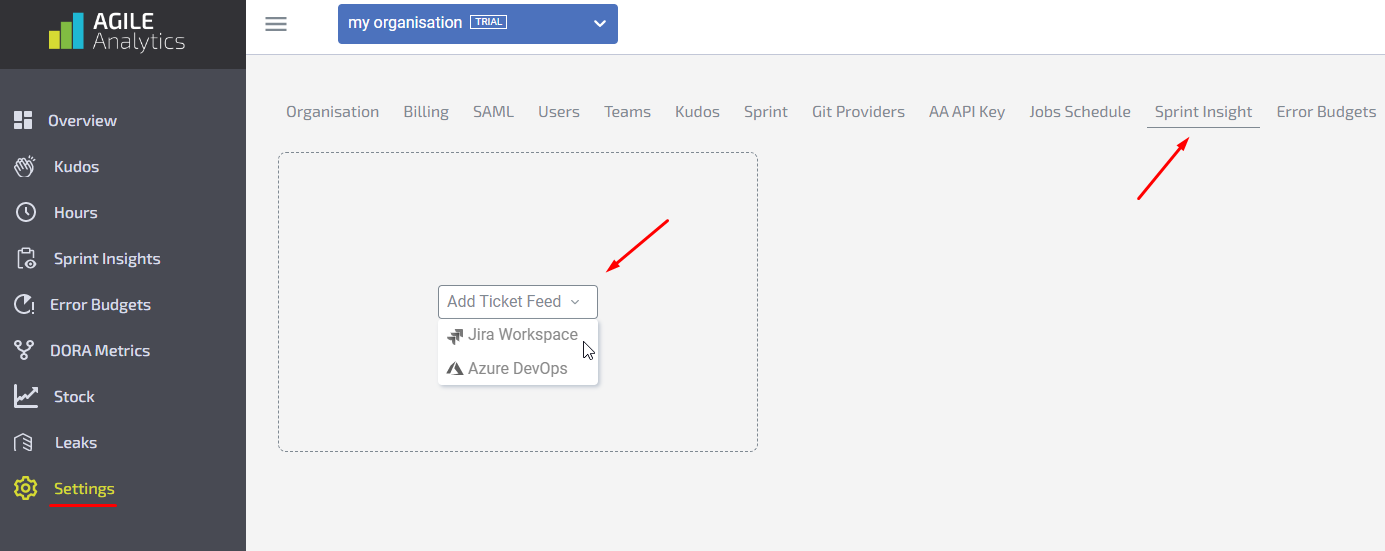
Go to Settings→ the Sprint Insights tab
-
Click on Add Ticket Feed and select Jira Workspace.
-
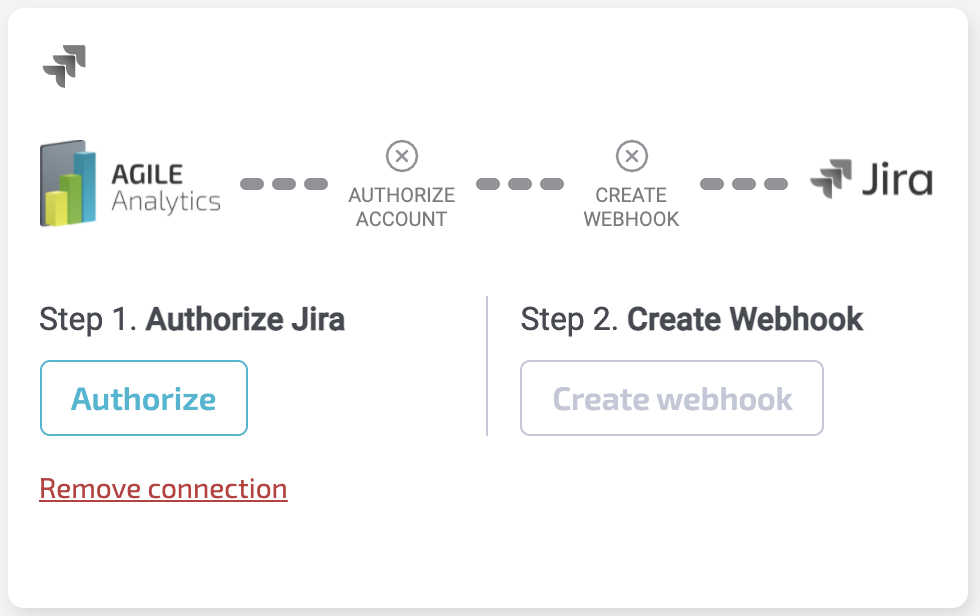
Click on Authorize. You will be redirected to the Jira login page. Log in to your Jira account. After that, you will be redirected back to Agile Analytics settings.
-
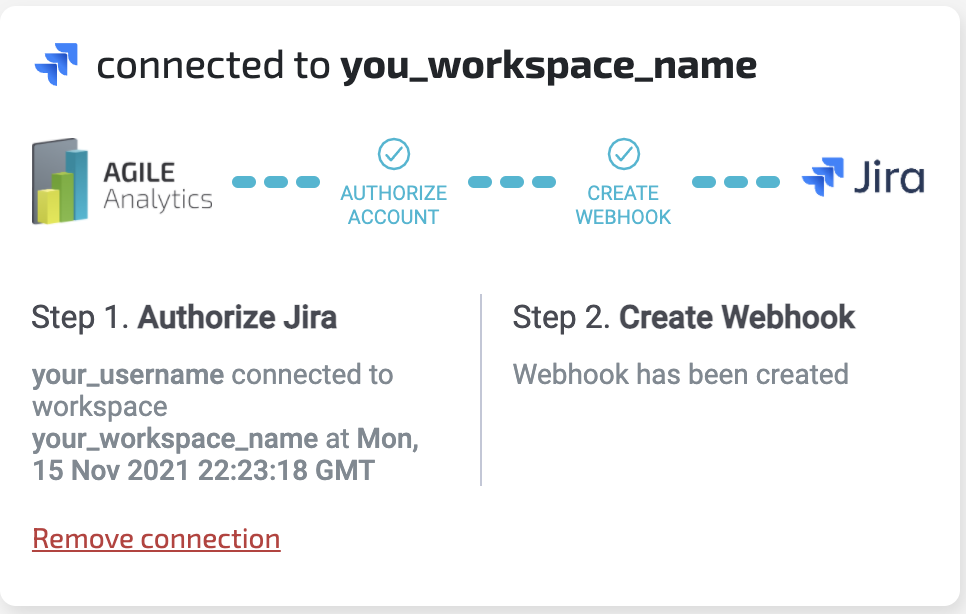
Click on Create webhookand wait until the status changes to “Webhook has been created”.
-
You should see all checkmarks checked. Congratulations, you have connected Jira to your Agile Analytics organization.